I still remember the smell of ozone and heated plastic from the arcade cabinets I spent my childhood weekends hunched over. Back then, your “setup” was just a joystick and a coin slot, but today, the industry wants you to believe that a professional-grade gaming setup requires a mountain of RGB lighting and a credit card with no limit. We’ve been sold this myth that more flashing lights and overpriced peripherals automatically translate to better performance, when in reality, most of that gear is just expensive noise designed to distract you from the mechanics that actually matter.
I’m not here to help you build a neon-soaked showroom for your social media feed. Instead, I want to help you architect a space that serves your focus and respects the way you play. I’ll be sharing my experience-based approach to selecting gear that facilitates intentional mastery rather than mindless consumption. We are going to strip away the marketing hype and focus on how your environment affects your cognitive flow, ensuring that every piece of equipment you own actually helps you find the joy in the systems you’re playing.
Table of Contents
The Foundation of Focus Ergonomic Gaming Chair Benefits
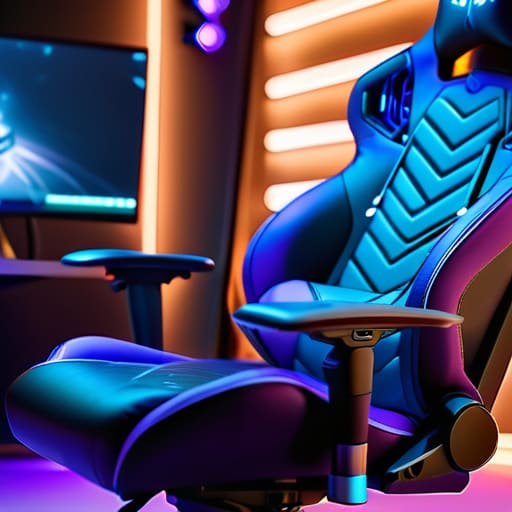
We often obsess over frame rates and input lag, but we rarely talk about the physical toll of a long session. When I was younger, I’d spend hours hunched over a CRT television, completely oblivious to the strain on my lower back until the ache became impossible to ignore. Now, I view my seat as a vital piece of hardware. Understanding the true ergonomic gaming chair benefits isn’t about buying something that looks flashy; it’s about supporting your spine so your brain can stay focused on the mechanics rather than the discomfort.
A well-chosen chair acts as your cockpit, providing the stability needed for precise movements. If your posture collapses, your reaction time follows suit. I’ve found that when my body is properly aligned, I can maintain a state of flow much longer without that inevitable mid-session fatigue. It’s an investment in your longevity as a player. You aren’t just sitting; you are positioning yourself to engage with the game’s systems with maximum intentionality and clarity.
Precision Input Mechanical Keyboard Switches Explained
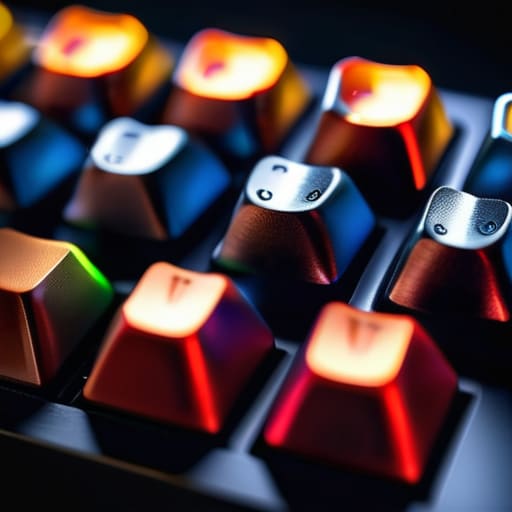
When I was restoring my old handhelds last weekend, I was reminded of how much tactile feedback matters. In a modern setup, that sensation translates directly to your keyboard. Most players overlook this, but understanding mechanical keyboard switches explained is less about “clicky” sounds and more about the physics of your intent. Whether you opt for linear switches for smooth, rapid movements or tactile switches that provide a physical bump, you are essentially choosing the interface between your brain and the game’s code.
Choosing the wrong switch is like trying to play a precision rhythm game with a mushy membrane keyboard; the delay between thought and action creates a cognitive friction that breaks your flow. If you’re aiming for mastery, you need a switch that matches your specific playstyle. I prefer a tactile response because it provides that instantaneous confirmation of a keystroke, allowing me to play with much higher intentionality. It isn’t just about the gear; it’s about reducing the gap between your nervous system and the digital world.
Beyond the Hardware: Fine-Tuning Your Sensory Environment
- Optimize your lighting to reduce cognitive load; avoid harsh glares on your screen that force your eyes to work harder than the game mechanics require.
- Audit your desk real estate to ensure your mouse movement isn’t restricted by clutter, allowing for the precise, intentional inputs a complex system demands.
- Calibrate your monitor’s refresh rate and color profile to match your specific playstyle, ensuring what you see is a true reflection of the game’s intended depth.
- Manage your acoustic space by using high-quality, closed-back headphones to block out domestic distractions and immerse yourself fully in the game’s soundscape.
- Keep your peripherals clean and maintained; a dusty sensor or a sticky key isn’t just a nuisance, it’s a breakdown in the connection between your intent and the game’s response.
The Intentional Setup: Key Takeaways for Mastery
Stop viewing your gear as mere accessories; treat your chair and keyboard as tools that directly influence your cognitive stamina and mechanical precision.
Prioritize ergonomics and tactile feedback to reduce the physical friction between your intentions and the game’s execution.
Build your space with purpose, ensuring every component serves to deepen your focus rather than just adding clutter to your desk.
The Intentionality of Space
A gaming setup shouldn’t just be a collection of expensive peripherals; it should be a deliberate extension of your intent, designed to minimize friction between your mind and the mechanics of the game.
Delia Okonkwo
Beyond the Hardware
At the end of the day, building a setup isn’t about chasing the most expensive specs or having the brightest RGB lights on your desk. It is about the synergy between your physical environment and your mental state. We’ve looked at how an ergonomic chair preserves your focus and how choosing the right mechanical switches can sharpen your tactile response to the game’s demands. When you align your gear with your intent, you stop fighting your tools and start mastering the systems you play. A thoughtful setup reduces the friction between your brain and the screen, allowing you to enter that elusive state of flow where the mechanics finally become second nature.
As you continue to refine your space, remember that your setup should evolve alongside your skill. Just as I find myself gravitating toward more precise tools as I dive deeper into complex game mechanics, you too will find that your needs shift over time. Don’t view this as a one-time purchase, but as a lifelong pursuit of intentionality. Whether you are playing a high-stakes competitive match or lost in the atmosphere of a slow-burn RPG, your environment should respect the experience you are seeking. Play with purpose, invest in your comfort, and most importantly, find the joy in the mastery.
Frequently Asked Questions
How much does my desk height actually impact my long-term posture and focus during long sessions?
It’s more than just comfort; it’s about neurological efficiency. If your desk is too high, you’re constantly shrugging your shoulders, which triggers muscle tension and eventually leads to that mid-session brain fog. If it’s too low, you’re hunching, cutting off your breathing depth. When your body is fighting physical strain, your brain can’t dedicate its full processing power to the game’s mechanics. Proper height keeps your spine neutral so your focus stays on the screen, not your aching neck.
Is it worth investing in high-end peripherals right away, or should I build my setup incrementally?
Don’t feel pressured to drop a month’s rent on a pro-grade kit overnight. I’ve spent enough time tinkering with vintage hardware to know that the tool matters, but the intent matters more. Start with the essentials—the mouse or keyboard you touch most—and upgrade as you identify where your physical limitations are hindering your skill. Build incrementally. Let your evolving playstyle dictate your gear, rather than chasing specs you aren’t actually utilizing yet.
How can I optimize my lighting to reduce eye strain without sacrificing the atmosphere of my space?
Don’t let a dark room turn your gaming session into a headache. The trick is balancing ambient light with your screen’s output. I swear by bias lighting—a soft LED strip behind the monitor—to reduce the harsh contrast that fatigues the eyes. It keeps the atmosphere moody without forcing your pupils to struggle. Pair that with a warm desk lamp to fill the shadows, and you’ve created a space built for long-term focus.
