
I remember sitting in my dim living room a few years ago, nursing a lukewarm cup of Earl Grey, staring at a beautiful, high-budget RPG that I simply couldn’t play. It wasn’t because the story was too complex or the combat too fast; it was because a single, poorly designed visual cue—a tiny, flickering icon—was the only way to navigate a critical menu. It felt like a slap in the face. We often talk about gaming accessibility as if it’s a luxury add-on or a “special mode” for a niche group, but that’s a lie. When a game fails to account for different ways of perceiving information, it isn’t just being “hard”; it is failing its own mechanics and locking players out of the mastery they’ve worked so hard to earn.
I’m not here to give you a checklist of settings or a lecture on corporate compliance. Instead, I want to look at the architecture of play. My goal is to help you understand how intentional design can bridge the gap between a barrier and a breakthrough. We are going to dive into how we can demand better standards, ensuring that true skill is never sidelined by a lack of thoughtful options.
Table of Contents
- Mastering Inclusive Game Design Principles for Deep Engagement
- Subtitles and Closed Captioning Standards Perfecting the Narrative Flow
- Beyond the Basics: 5 Ways to Tune Your Setup for Intentional Play
- Key Takeaways for Intentional Play
- ## Redefining the Barrier
- Beyond the Settings Menu
- Frequently Asked Questions
Mastering Inclusive Game Design Principles for Deep Engagement

When we talk about inclusive game design principles, we aren’t just checking boxes for compliance; we are refining the very architecture of play. For a designer, this means moving beyond the “one size fits all” mentality and recognizing that a player’s ability to interact with a system is deeply personal. It’s about creating a framework where cognitive accessibility in video games is treated with the same rigor as frame data or hitboxes. If a player can’t parse the information being presented due to sensory overload or processing differences, the mechanical depth of the game becomes irrelevant. The system has failed them.
True mastery requires a seamless connection between intent and execution. This is where the integration of assistive technology for gamers becomes vital. Whether it’s through remappable inputs or sophisticated visual cues, these tools shouldn’t feel like “crutches”—they should feel like extensions of the player’s will. When we design with these nuances in mind, we aren’t lowering the ceiling of difficulty; we are simply widening the doorway so more people can step up to the challenge and find their own way to win.
Subtitles and Closed Captioning Standards Perfecting the Narrative Flow
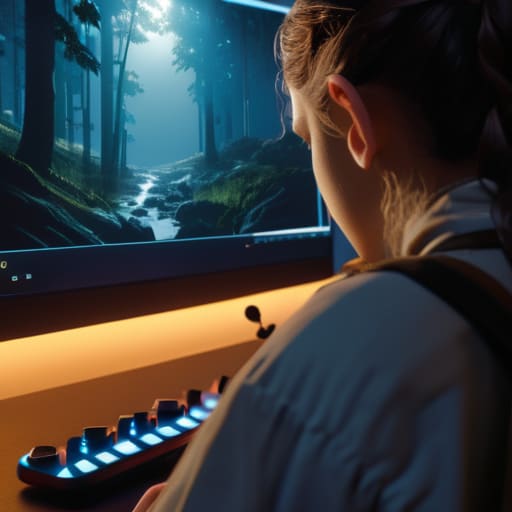
When we talk about subtitles and closed captioning standards, we aren’t just discussing text on a screen; we are discussing the integrity of the storytelling. For many, including those navigating hearing impairments or even just playing in a loud environment, captions are the bridge between a vague sound effect and a meaningful narrative beat. If the text is poorly timed or obscures critical gameplay information, it breaks the immersion I strive for in every session. True excellence in this area means providing more than just dialogue; it means offering descriptions of ambient sounds and character tones that allow the player to feel the weight of the moment.
This is where cognitive accessibility in video games becomes a vital consideration. It isn’t enough to simply dump a wall of white text over a dark background. Effective design requires thoughtful typography, adjustable reading speeds, and high-contrast styling that respects the player’s visual field. When developers treat text as a core component of the interface rather than an afterthought, they ensure that the narrative flow remains uninterrupted and intentional. We shouldn’t have to choose between hearing the story and seeing the action.
Beyond the Basics: 5 Ways to Tune Your Setup for Intentional Play
- Audit your sensory input. It’s not just about volume; it’s about clarity. If a game’s audio cues are vital for gameplay—like a footstep in a stealth mission—ensure you can toggle high-contrast visual indicators so you aren’t playing at a disadvantage.
- Customize your control mapping to match your physical reality. Don’t feel obligated to stick to the “standard” layout. Rebinding keys to minimize repetitive strain or to accommodate different grip styles isn’t “cheating”—it’s optimizing your interface for better performance.
- Leverage visual clarity tools to reduce cognitive load. High-contrast modes and adjustable UI scaling aren’t just for low vision; they help you process complex game states faster, allowing you to focus on strategy rather than squinting at a cluttered HUD.
- Look for “difficulty” settings that act as mechanical modifiers rather than just health sponges. The best accessibility allows you to tweak specific elements—like aim assist or reaction time windows—so you can master the system without being blocked by a single physical barrier.
- Build a multi-sensory feedback loop. If you’re playing a game with intense haptic feedback, try to balance that with visual and auditory cues. A well-rounded setup ensures that if one sensory channel is overwhelmed, the others keep you connected to the game’s rhythm.
Key Takeaways for Intentional Play
Accessibility isn’t a checkbox for compliance; it is a fundamental design tool that allows players to fully engage with a game’s core mechanics without friction.
True narrative immersion relies on multi-sensory feedback, ensuring that whether through subtitles or visual cues, the story’s rhythm remains unbroken.
Mastering a game requires a seamless connection between the player and the interface, which is only possible when design removes physical and cognitive barriers.
## Redefining the Barrier
Accessibility isn’t a checklist of features to tick off for compliance; it is the fundamental bridge between a player’s intent and the game’s mechanics. When we design without considering diverse needs, we aren’t just excluding people—we are breaking the very systems we worked so hard to build.
Delia Okonkwo
Beyond the Settings Menu

When we look back at what we’ve discussed—from the granular importance of subtitle clarity to the broader necessity of inclusive design principles—it becomes clear that accessibility is not a checklist of features to be tacked on at the last minute. It is about the fundamental architecture of the experience. True accessibility ensures that the cognitive and physical barriers which often gatekeep deep engagement are dismantled, allowing the player to focus entirely on the system at hand. By prioritizing these elements, developers aren’t just being “nice”; they are ensuring that the complex mechanics and narratives they’ve worked so hard to build actually reach the people they were meant for.
As I sit here with my lukewarm tea, reflecting on how much the landscape has shifted since the days of simple arcade cabinets, I am struck by how much more intentional our play has become. We are moving away from a period of mindless consumption and toward an era where we demand more from our digital worlds. Let’s continue to advocate for games that respect our diverse needs, because a game is only truly successful when it is accessible to everyone who seeks to master it. Let’s play with intention, and let’s make sure no one is left behind on the journey to the next level.
Frequently Asked Questions
How can developers implement accessibility without compromising the intended difficulty or "grit" of a game's atmosphere?
The mistake many developers make is equating accessibility with “easy mode.” It’s not about lowering the ceiling; it’s about widening the floor. You can keep the brutal difficulty or the suffocating atmosphere by offering alternative inputs—like remappable controls or high-contrast modes—rather than just stripping away challenges. Accessibility should function like a custom tuning knob, allowing players to bypass physical barriers so they can finally engage with the grit and tension you intended.
Beyond visual and auditory aids, what are the most effective ways to design for motor impairments in high-precision genres like fighting games or soulslikes?
When we talk about high-precision genres, we’re talking about the core loop of timing and execution. For players with motor impairments, “difficulty” shouldn’t mean “unplayable.” The most effective approach is offering granular input remapping and adjustable button latency. Beyond that, implementing “assist modes” that don’t automate the strategy, but rather buffer the frame-perfect execution, allows players to engage with the tactical depth of a Soulslike without being sidelined by physical limitations.
As someone who values intentional play, how do I find games that offer deep mechanical mastery while still being accessible to players with different physical needs?
Look for games that treat accessibility as a core mechanic rather than an afterthought. I usually hunt for titles that offer granular remapping and adjustable difficulty curves—not to bypass the challenge, but to tailor the interface to my own needs. Check developer blogs or community-driven databases like AbleGamers; they often highlight games where the “skill ceiling” remains high, but the physical barriers to entry are thoughtfully dismantled. Don’t settle for games that limit your mastery just because they lack flexibility.
