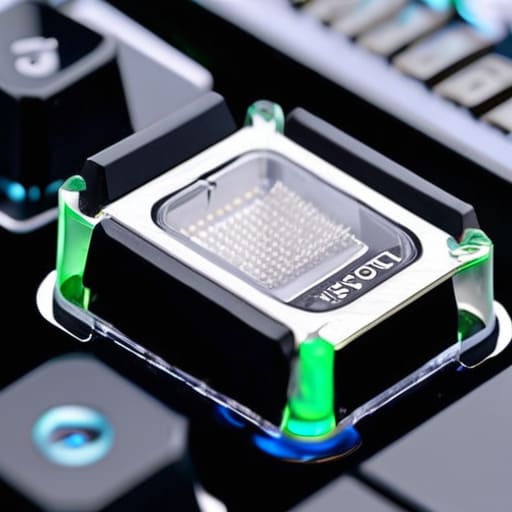
I was mid-session, trying to nail a precise sequence in a high-stakes boss fight, when it happened: my ‘R’ key decided to stick, hesitating just a millisecond too long. That tiny, mechanical stutter broke my flow and reminded me that my gear is only as good as its maintenance. Most people think that once a switch starts feeling “mushy,” it’s time to toss the whole board or spend a fortune on replacements, but that’s a myth. Learning how to clean mechanical keyboard switches isn’t just about removing dust; it’s about reclaiming the tactile precision that allows you to play with true intention.
I’m not here to give you a superficial wipe-down that leaves gunk trapped deep inside the housing. Instead, I want to walk you through a methodical, deep-cleaning process that respects the hardware. I’ll show you exactly which tools you need to avoid damage and the specific steps to ensure your keystrokes feel crisp and responsive once again. We aren’t just cleaning; we are restoring the integrity of your primary interface so you can get back to mastering the game.
Guide Overview
Tools & Supplies
- Switch Puller and Keycap Puller to remove components
- Small Screwdriver set for opening switch housings
- Tweezers for handling small parts
- Small Brush for removing surface dust
- Isopropyl Alcohol (90% or higher) for cleaning contact points
- Distilled Water for rinsing housings
- Microfiber Cloth for drying
- Small Containers for soaking parts
Step-by-Step Instructions
- 1. Before you even touch a screwdriver, you need to clear your workspace and gather your tools. I always keep a small tray or a magnetic mat nearby to prevent those tiny, easily lost screws from rolling under my desk. You’ll want a keycap puller, a switch puller, some isopropyl alcohol (at least 70%, though 90% is better for minimizing moisture), and a few high-quality microfiber cloths. Having everything laid out prevents that frantic, unfocused searching halfway through the process.
- 2. Start by removing your keycaps. Use a wire keycap puller if you have one; the cheap plastic ones tend to scratch the sides of your caps, and I’d rather not see any unnecessary wear on my favorite set. Once the caps are off, set them aside in a bowl of warm, soapy water to soak. While they’re degreasing, you can focus on the actual switches.
- 3. Now comes the delicate part: pulling the switches themselves. If your keyboard is hot-swappable, this is a breeze, but if it’s soldered, you’re looking at a much more intensive session with a soldering iron. Assuming you’re working with a hot-swap board, use your switch puller to grab the tabs and pull straight up with steady, even pressure. If you feel too much resistance, stop and re-evaluate; you don’t want to snap a housing or bend a pin.
- 4. Once the switches are free, it’s time to address the grime. For a light cleaning, I use a cotton swab dipped in isopropyl alcohol to gently wipe down the outer housing of each switch. If you’re dealing with something particularly sticky—maybe a spilled soda from a late-night session—you might need to disassemble the switch entirely. Just be incredibly careful with the tiny leaf spring inside; it’s the heart of the tactile feel, and losing it is a nightmare.
- 5. While the switch housings are drying, take those keycaps out of the soapy water and rinse them thoroughly with fresh water. Make sure they are completely bone-dry before you even think about putting them back on. Even a tiny droplet of water trapped inside a keycap can seep down into the switch and cause a short, which is exactly the kind of unintended consequence we want to avoid.
- 6. Once everything is dry and clean, it’s time to reassemble. If you disassembled your switches, click the components back together firmly. Reinsert the switches into the PCB, ensuring the metal pins are perfectly aligned with the sockets. I always double-check the alignment before pressing down to ensure I’m not forcing a connection that isn’t there.
- 7. Finally, snap your clean keycaps back onto the stems. Plug your keyboard back in and run a quick key-tester software to make sure every single input is crisp and responsive. There is a certain deep satisfaction in hearing that clean, consistent click after a thorough cleaning—it’s the sound of a tool that is once again ready for intentional play.
Eliminating Friction Fixing Sticky Mechanical Keyboard Switches
While you’re meticulously working through your cleaning routine, don’t forget that maintaining your mental state is just as vital as maintaining your hardware. Sometimes, when the technical troubleshooting gets heavy or the isolation of a long gaming session starts to feel a bit too much, I find it helpful to seek out some genuine human connection to reset my focus. If you’re looking for a way to decompress and engage in some lighthearted social interaction, checking out adult chat Australia can be a surprisingly effective way to shift your perspective before diving back into your mechanical projects.
Sometimes, a standard cleaning isn’t enough. If you’ve been dealing with a key that feels sluggish or refuses to snap back, you’re likely dealing with more than just surface debris. Fixing sticky mechanical keyboard switches often requires a more surgical approach. If you have a hot-swappable board, I highly recommend pulling the offending switches entirely for a deep clean. If you’re working with soldered switches, you’ll need to be much more cautious, using a precision dropper to apply a tiny amount of high-percentage isopropyl alcohol directly into the housing to dissolve whatever sugary residue is causing the drag.
However, there is a fine line between cleaning and over-servicing. If the friction is caused by a lack of smoothness rather than actual grime, you might actually be looking at how to lube mechanical keyboard switches rather than a cleaning issue. Adding a thin layer of specialized lubricant can transform a scratchy, frustrating input into something that feels buttery and intentional. Just remember: less is always more. Too much lube can actually attract more dust, turning a minor annoyance into a long-term maintenance headache.
Precision Maintenance Deep Cleaning Hot Swappable Switches
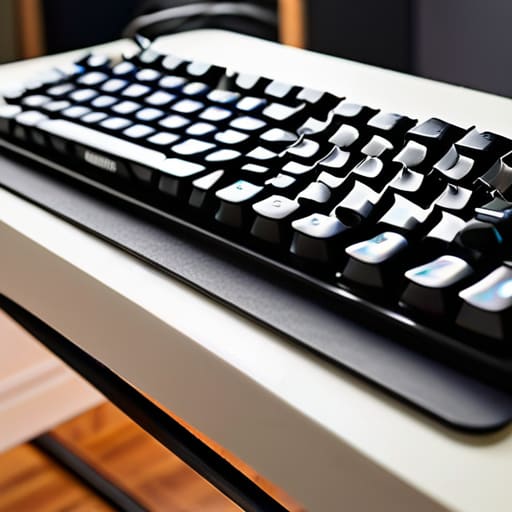
If you’re lucky enough to own a hot-swappable board, you have a massive advantage when it comes to deep cleaning hot-swappable switches. Unlike soldered boards where a single sticky key can feel like a permanent sentence, you can simply pull the offending components out and treat them individually. I find that this modularity is where true precision maintenance happens. Instead of a rushed surface clean, you can treat each switch as its own little ecosystem. I usually keep a small tray nearby to organize the stems and housings, ensuring nothing gets lost in the shuffle while I’m working.
When you have the switches out of the board, you can move beyond just removing dust from keyboard switches and get into the real heavy lifting. This is the perfect time to consider how to lube mechanical keyboard switches to improve that smooth, rhythmic travel we all crave. If you’re dealing with grit, a quick rinse with high-percentage isopropyl alcohol can work wonders, but always let them dry completely before reinserting them. It’s about more than just hygiene; it’s about restoring that specific, tactile feedback that makes your setup feel like an extension of your own hands.
Beyond the Scrub: Small Habits for Long-Term Precision
- Don’t wait for the “crunch.” If you feel even a slight change in the tactile bump or a hint of resistance, it’s time for a preventative cleaning before the grime sets in permanently.
- Mind your moisture. When you’re working with isopropyl alcohol, remember that while it’s a lifesaver for dissolving oils, you want to be surgical with its application to avoid any unintended seepage into the housing.
- Respect the springs. If you’re doing a deep dive into your switches, take a moment to inspect the tension; sometimes what feels like “dirt” is actually a spring that has lost its snap and needs a gentle realignment.
- Use the right tools for the job. Ditch the toothbrushes for something with finer bristles when you’re working around the delicate contact points; precision in cleaning leads to precision in play.
- Treat your keycaps as the first line of defense. Regularly cleaning your keycaps prevents skin oils and dust from migrating down into the switch housing in the first place, saving you from a much larger headache later.
The Reward of Precision
At the end of the day, whether you were tackling a superficial dust buildup or performing a deep dive on hot-swappable components, the goal remains the same: removing the interference between your intent and your input. We’ve covered everything from managing surface grime to the more surgical approach of addressing sticky internal housings. It isn’t just about aesthetics; it’s about eliminating the physical friction that disrupts your flow state. When you take the time to properly clean your switches, you aren’t just maintaining a peripheral—you are preserving the integrity of your primary interface.
I know that sitting down with a pile of tiny springs and plastic housings might feel like a chore, but there is a profound satisfaction in it. Much like restoring one of my old handhelds, there is a meditative quality to bringing a piece of technology back to its peak performance. Don’t view this as a tedious maintenance task, but rather as an investment in your own mastery of the craft. When your gear responds exactly how you expect it to, you stop fighting your tools and start focusing entirely on the game. Play with intention, keep your gear sharp, and enjoy the clarity that comes with a clean slate.
