Category: Gaming Tips

  • Ways to Increase Your Frames Per Second

    Ways to Increase Your Frames Per Second

    I remember sitting in my dimly lit bedroom in the late 90s, clutching a controller and feeling that sickening, jarring stutter during a crucial boss fight. It wasn’t just a technical glitch; it felt like the game was betraying my muscle memory. Most modern “tech gurus” will try to sell you a $3,000 rig by drowning you in meaningless jargon, claiming that higher fps frame rates are the only way to achieve greatness. They treat hardware like a status symbol, but they ignore the psychological reality: if your visual feedback doesn’t match your brain’s processing speed, you aren’t playing the game—you’re fighting your own equipment.

    I’m not here to help you chase empty numbers or participate in a hardware arms race. My goal is to strip away the marketing fluff and help you understand how to actually sync your senses with your system. We are going to look at how to optimize your settings so that your movements feel fluid and your decision-making remains sharp. I promise to provide you with a grounded, technical roadmap that prioritizes intentional play over mindless consumption, ensuring you master the rhythm of every frame.

    Table of Contents

    Frames Per Second vs Refresh Rate Finding Your Flow

    Frames Per Second vs Refresh Rate Finding Your Flow

    I often see players getting frustrated because their screen feels “choppy,” even when their hardware seems powerful. This usually stems from a misunderstanding of frames per second vs refresh rate. Think of it this way: your GPU is the artist drawing the frames, while your monitor is the canvas displaying them. If your GPU is pumping out 144 frames but your monitor is stuck at a standard 60Hz, those extra frames are essentially wasted energy. You aren’t seeing them, but you are definitely feeling the mismatch in how the image updates.

    To truly find your flow, you need to align these two systems. When they are out of sync, you deal with screen tearing or inconsistent motion blur and frame pacing, which breaks your immersion and ruins your timing. I’ve spent many late nights tinkering with my own setups, learning that it isn’t always about chasing the highest number possible. It’s about stability. By optimizing gaming settings for fps to match your monitor’s ceiling, you create a seamless loop of visual information that allows your brain to react instinctively rather than fighting against a stuttering image.

    Minimizing System Latency for Intentional Precision

    Minimizing System Latency for Intentional Precision.

    It’s one thing to see high numbers on a counter, but it’s another thing entirely to feel the game responding to your touch in real-time. When we talk about minimizing system latency, we aren’t just chasing vanity metrics; we are trying to close the gap between our brain’s intent and the screen’s reaction. I’ve spent countless hours analyzing how even a few milliseconds of delay can shatter a player’s flow state. If there is a disconnect between your input and the visual output, you aren’t playing the game—you’re playing catch-up with your own hardware.

    This is where many players run into the wall of gpu bottlenecking explained in much simpler terms: your graphics card might be working overtime to render beautiful scenery, but if it can’t push those images out fast enough to match your input, you’ll feel a heavy, sluggish drag. To combat this, I recommend optimizing gaming settings for fps by prioritizing performance over sheer visual fidelity. Turning down certain post-processing effects can reduce the heavy lifting your system has to do, ensuring that every click feels crisp, immediate, and—most importantly—intentional.

    Tuning Your System for Intentional Play

    • Stop chasing the highest number for its own sake; find the “sweet spot” where your hardware remains stable. A fluctuating frame rate is more taxing on your focus than a slightly lower, but consistent, one.
    • Match your monitor’s refresh rate to your output to prevent screen tearing. If you’re playing a fast-paced title, that visual stutter isn’t just an eyesore—it’s a break in the cognitive rhythm you need to master the mechanics.
    • Prioritize your CPU and GPU balance. I’ve seen many players upgrade their graphics cards only to realize their processor is bottlenecking the entire system, leaving those precious extra frames stuck in traffic.
    • Disable V-Sync if you’re playing competitively. While it smooths things out, it introduces input lag that can make your movements feel sluggish and disconnected from your intentions.
    • Use your hardware’s built-in tools to monitor performance in real-time. Knowing exactly when your system dips allows you to adjust your settings mid-session, ensuring you stay in the flow rather than fighting the hardware.

    Mastering the Technical Rhythm

    Stop treating frame rates as just a number on a screen; view them as the actual heartbeat of your interaction with the game world.

    True precision comes from aligning your hardware’s output with your monitor’s capabilities to eliminate the sensory friction that breaks your focus.

    Aim for consistency over raw peaks, because a stable, predictable flow is what allows you to transition from reactive clicking to intentional, masterful play.

    The Psychology of Smooth Motion

    “When we chase higher frame rates, we aren’t just looking for pretty pictures; we are trying to close the gap between our intention and the machine’s reaction. A stuttering screen is more than a technical glitch—it’s a cognitive disruption that pulls you out of the flow and reminds you that you’re just fighting a piece of hardware instead of mastering the game.”

    Delia Okonkwo

    Beyond the Numbers: Tuning Your Experience

    Beyond the Numbers: Tuning Your Experience.

    At the end of the day, optimizing your frame rates isn’t just about chasing a higher number on a counter; it’s about bridging the gap between your intention and the game’s response. We’ve looked at how distinguishing between FPS and refresh rates prevents visual stutter, and how shaving off milliseconds of latency allows you to actually feel the rhythm of the software. When you align your hardware with your biological reaction time, you stop fighting the machine and start working with it. It turns a frustrating, laggy mess into a seamless extension of your own reflexes, allowing you to focus entirely on the strategy and the skill required to win.

    As I sit here with my tea, watching the light catch the screen of a handheld I’ve been tinkering with, I’m reminded that technology is constantly shifting, but the pursuit of mastery remains constant. Don’t get lost in the endless cycle of hardware upgrades or the pursuit of perfection for its own sake. Instead, aim for that sweet spot of intentionality where the technology disappears, leaving only you and the challenge ahead. Whether you are playing on a high-end rig or a restored classic, play with purpose, understand your tools, and most importantly, find the joy in the mastery.

    Frequently Asked Questions

    If I'm already hitting my monitor's refresh rate, is there any actual benefit to pushing my hardware to get even higher FPS?

    It’s a common misconception that once you hit your refresh rate, you’ve reached the finish line. Even if your monitor can’t physically display those extra frames, pushing for higher FPS still matters. Why? Because it reduces input latency. More frames mean your computer processes your inputs more frequently, narrowing the gap between your physical movement and the game’s reaction. Think of it as sharpening your reflexes; it’s about making the system feel more responsive and intuitive.

    How much of my input lag is actually caused by my monitor versus the internal processing speed of the game engine itself?

    It’s a tug-of-war between two different worlds. The game engine’s processing speed—the time it takes to calculate your inputs and render the next frame—is your internal delay. Your monitor, however, introduces its own lag through signal processing and pixel response times. Usually, the engine is the heavy lifter, but a slow, aging display can act as a bottleneck, making even the smoothest engine feel sluggish and disconnected.

    Is it better to prioritize a rock-solid, consistent frame rate, or should I chase the highest possible peaks even if they come with frequent stutters?

    Consistency wins every single time. Chasing those erratic, high-peak numbers is a trap; those sudden stutters break your cognitive flow and force your brain to constantly readjust to a shifting rhythm. When your frame rate jumps wildly, you lose that intuitive connection to the game’s mechanics. I’d much rather have a stable, predictable 60 FPS that I can build muscle memory around than a chaotic 120 FPS that feels like a rollercoaster.

  • How to Improve Your Aiming Skills in Shooters

    How to Improve Your Aiming Skills in Shooters

    I remember sitting in front of a flickering CRT monitor in my childhood bedroom, gripped by the frustration of a missed shot in a pixelated shooter. Back then, I thought better reflexes were just a matter of luck or raw talent, but my background in psychology eventually taught me something much more profound. Most people approach gaming aim training like a mindless grind, throwing hours at aim trainers without ever understanding the neurological feedback loops they are trying to build. They treat it like a chore to be finished rather than a system to be understood, and that’s exactly why they hit a plateau.

    I’m not here to sell you on some overpriced peripheral or a “secret” sensitivity setting that promises instant pro status. Instead, I want to strip away the hype and look at the mechanics of how we actually move. I promise to provide you with a structured, intentional approach to mastering your fine motor skills through the lens of cognitive science and practical experience. We are going to move past the mindless clicking and start treating your training like a deliberate craft, ensuring that every minute you spend practicing actually translates to better performance in the heat of the game.

    Table of Contents

    Precision Foundations Mouse Dpi Settings and Hand Positioning

    Precision Foundations Mouse Dpi Settings and Hand Positioning

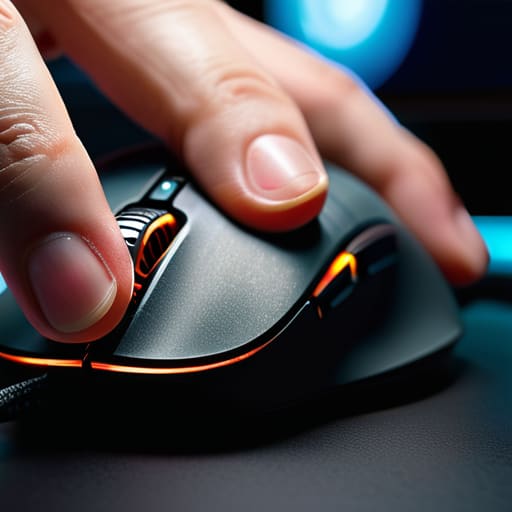
    Before you even touch an aim trainer, you have to address the physical interface between your intent and the screen. I often see players struggling with consistency because their hardware setup is working against them. Finding your ideal mouse DPI settings for gaming isn’t about chasing the highest number; it’s about finding the sweet spot where your fine motor skills can actually translate to the digital space. If your sensitivity is too high, you’re essentially fighting your own nervous system, turning every micro-adjustment into an overcorrection.

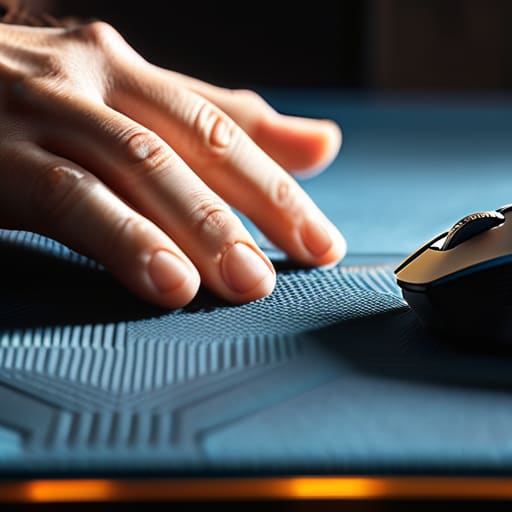
    Once the sensitivity feels stable, focus on your ergonomics. I’ve spent years observing how tension affects performance, and I can tell you that hand positioning for precision is everything. Whether you use a palm, claw, or fingertip grip, your hand should feel like an extension of the mouse, not a clenched fist fighting for control. Don’t overlook the surface, either. The relationship between your mouse feet and gaming mousepad friction can be the difference between a smooth glide and a jittery, unpredictable movement. Treat these mechanical fundamentals as the bedrock of your practice.

    The Physics of Control Managing Gaming Mousepad Friction

    The Physics of Control Managing Gaming Mousepad Friction

    We often obsess over sensor specs and polling rates, but we frequently overlook the physical interface between our hand and the desk: the mousepad. To me, the surface tension of your pad is just as vital as your mouse DPI settings for gaming. If you’re using a pad that’s too “fast” (low friction), you might find yourself overshooting targets during rapid movements. Conversely, a “muddy” or high-friction pad can make it feel like you’re dragging your mouse through sand, which is a nightmare when you’re trying to master tracking vs flicking techniques.

    I’ve spent many late nights—usually with a cooling cup of Earl Grey—experimenting with different textures to see how they affect my muscle memory. A control pad offers a bit of “stopping power,” which is essential for those micro-adjustments that separate a hit from a miss. It’s not just about speed; it’s about predictability. When you understand the gaming mousepad friction you’re working with, you stop fighting your equipment and start working with it, turning every swipe into a deliberate, controlled action.

    Beyond the Hardware: Cultivating Intentional Muscle Memory

    • Stop the “panic clicking.” When you’re in a high-pressure firefight, your instinct is to jerk the mouse toward the target. Instead, practice slow, deliberate tracking in your trainer. You need to teach your nervous system the difference between a reactive flinch and a controlled movement.
    • Treat your training sessions like a cognitive workout, not a mindless grind. If you’re just clicking targets while scrolling through a podcast, you aren’t building skill; you’re just practicing bad habits. Focus entirely on the visual cues of the target to bridge the gap between your eyes and your hand.
    • Embrace the “micro-correction” phase. Most players think they have bad aim when they actually just have poor fine motor control. Spend time on small, incremental adjustments rather than large sweeps. Mastery lives in those tiny, millimeter-perfect corrections made right before the shot lands.
    • Use varied target sizes to prevent mental stagnation. If you only practice on large, easy-to-hit bots, your brain gets lazy. Introduce smaller, more erratic targets to force your brain to stay engaged and keep your precision sharp under changing conditions.
    • Monitor your mental fatigue, not just your K/D ratio. Because I look at this through a psychological lens, I know that aim degrades the moment your focus slips. If you feel your movements becoming heavy or imprecise, walk away. Pushing through a “brain fog” session only reinforces the muscle memory of being sloppy.

    Refining Your Approach to Mechanical Mastery

    Stop treating your gear as static tools; your DPI and mousepad friction are active variables in the physics of your aim that require constant, intentional calibration.

    True precision isn’t about mindless repetition, but about understanding the relationship between your hand positioning and the tactile feedback of your hardware.

    Aim training should be viewed as a disciplined craft rather than a chore, focusing on the intentional mastery of mechanics to bridge the gap between instinct and execution.

    ## Beyond the Click

    Aim training isn’t about repeating the same mindless flick until your wrist aches; it’s about developing a conscious connection between your intent and your hardware. If you aren’t analyzing the “why” behind every missed shot, you aren’t practicing—you’re just playing in place.

    Delia Okonkwo

    Beyond the Settings: The Path to Mastery

    Beyond the Settings: The Path to Mastery

    At the end of the day, mastering your aim isn’t just about finding the perfect DPI or picking the most expensive cloth mousepad. It’s about the synergy between your physical setup and your cognitive intent. We’ve looked at how fine-tuning your hardware and understanding the friction of your surface creates the necessary foundation, but those are merely the tools in your kit. Without a disciplined approach to how you actually move your hand and process visual information, even the best gear won’t save you from inconsistent performance. You have to treat these technical adjustments as the structural framework that allows your actual skill to flourish.

    As you move forward, I want you to remember that progress in gaming isn’t a straight line; it’s a series of plateaus and breakthroughs. Don’t get discouraged when a training session feels sluggish or your muscle memory seems to fail you. Instead, step back, take a sip of your tea, and analyze the system. When you stop viewing aim training as a chore and start seeing it as a lifelong study of mechanics, the frustration melts away into genuine satisfaction. Aim for intentionality over intensity, and you’ll find that the joy of the game isn’t just in the victory, but in the mastery of the craft itself.

    Frequently Asked Questions

    How can I tell if I'm actually improving my muscle memory or if I'm just getting used to the repetitive motions of a specific trainer?

    It’s easy to mistake familiarity for mastery. If you’re just getting “used” to a trainer, you’re likely just building comfort within a narrow, predictable loop. Real muscle memory improvement shows up when you can translate those mechanics into high-pressure, unpredictable environments—like a chaotic team fight. If your precision holds up when the stakes change and the targets stop moving in straight lines, you’re actually evolving. Otherwise, you’re just practicing being comfortable.

    Is it better to focus on small, micro-adjustments for precision, or should I be training large-scale arm movements to build better spatial awareness?

    It isn’t an either/or scenario; it’s about building a cohesive system. Think of your arm as the foundation and your wrist as the fine-tuning tool. You need those large-scale arm movements to navigate the map and maintain spatial awareness without straining your joints. However, once you’ve centered your crosshair, those micro-adjustments are what actually secure the kill. Don’t neglect either. Master the sweep to find the target, then master the twitch to hit it.

    At what point does intentional practice stop being productive and start turning into mindless, fatigued clicking?

    You’ve hit the wall when your movements lose their purpose. It’s that moment where you aren’t correcting a specific micro-adjustment, but just twitching your wrist in frustration. If you find yourself staring at the crosshair without a plan, or if your hand feels heavy and your focus is blurring, stop. Pushing through that fatigue isn’t “grinding”; it’s just reinforcing bad muscle memory. Listen to your body—rest is as much a part of mastery as the practice itself.