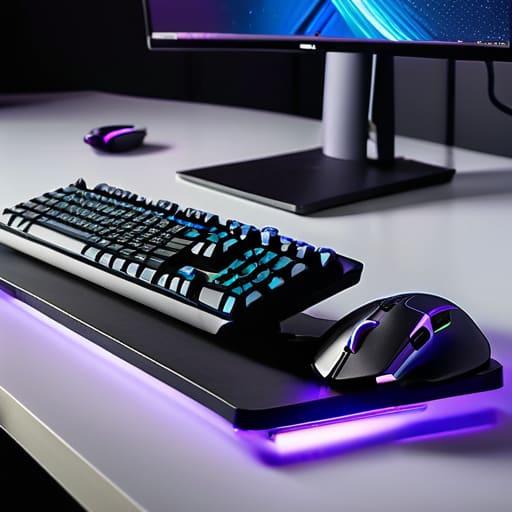
I remember sitting hunched over a flickering CRT monitor in my childhood bedroom, my spine curved like a question mark as I tried to beat a boss level in Castlevania. Back then, I didn’t know any better; I just thought the ache in my wrists was a small price to pay for progress. Fast forward a few decades, and I see the industry trying to sell us “ergonomic” solutions that cost more than a vintage GameBoy, claiming a thousand-dollar chair is the magic fix for everything. Honestly, most of that high-priced gear is just marketing fluff. Real gaming ergonomics isn’t about buying the most expensive plastic throne on the market; it’s about understanding how your physical setup interacts with your cognitive focus.
In this guide, I’m stripping away the flashy hype to give you the practical, science-backed adjustments that actually matter. I want to help you bridge the gap between your physical comfort and your mental performance so you can play with true intention. We’ll look at how to optimize your space to support your body, ensuring that physical strain never becomes the bottleneck for your skill.
Table of Contents
Optimizing Monitor Height Adjustment for Precision Focus

We often focus so much on our mouse grip or keyboard positioning that we completely overlook the vertical axis of our vision. If your screen is too low, you’re essentially forcing your neck into a permanent downward tilt, which creates a cascade of tension through your upper back and shoulders. When I’m deep in a session—usually with a cup of Earl Grey cooling beside me—I’ve noticed that even a slight misalignment can turn a focused flow state into a dull ache. Proper monitor height adjustment is about ensuring that your eyes naturally land on the top third of the screen, allowing your neck to remain in a neutral, relaxed position.
This isn’t just about comfort; it’s about cognitive endurance. When your body is fighting physical strain, your brain has fewer resources to dedicate to complex game mechanics. By aligning your screen correctly, you reduce the micro-distractions caused by physical discomfort, which is a cornerstone of repetitive strain injury prevention. If you find yourself slouching, don’t just reach for a pillow; look at your line of sight. A well-calibrated setup ensures that your physical interface supports, rather than sabotages, your mental precision.
The Vital Role of Lumbar Support for Gamers

We often focus so much on our reaction times and input precision that we completely neglect the foundation of our physical performance: the spine. As someone who spent countless hours hunched over a CRT monitor in the 90s, I can tell you firsthand that the “gamer slouch” isn’t just a bad habit; it’s a systematic failure of your setup. Without proper lumbar support for gamers, your lower back inevitably rounds, forcing your muscles to work overtime just to keep you upright. This constant tension doesn’t just cause dull aches; it disrupts your concentration and can lead to long-term fatigue that pulls you away from the very games you love.
Finding that right curve against your lower back is essential for maintaining a neutral spine. When your lumbar is supported, your pelvis stays in a stable position, which naturally improves your posture and reduces the risk of repetitive strain injury prevention efforts being undermined by poor seating. It’s about creating a stable base of operations. If you can’t sit comfortably, you can’t play with intention. Investing time into your seating geometry is just as important as upgrading your ergonomic gaming peripherals if you want to stay in the game for the long haul.
Beyond the Chair: Fine-Tuning Your Physical Interface
- Stop treating your peripherals like afterthoughts; your keyboard and mouse should be positioned so your wrists stay neutral, not cocked at awkward angles that invite strain.
- Mind the “elbow rule” by ensuring your armrests or desk height allow your elbows to stay at roughly a 90-degree angle, preventing that heavy, aching tension in your shoulders.
- Don’t let your feet dangle like a kid in a high chair; keep them flat on the floor or use a footrest to stabilize your pelvis and take the pressure off your lower back.
- Integrate the 20-20-20 rule into your sessions—every 20 minutes, look at something 20 feet away for 20 seconds—to prevent your eyes from locking into a fatigued, unblinking stare.
- Watch your grip tension during high-stakes moments; I’ve noticed many players subconsciously white-knuckle their controllers, which only leads to faster fatigue and diminished fine motor control.
Building a Sustainable Foundation for Play
Treat your physical setup as a tool for skill acquisition, not just a place to sit; if your body is in pain, your brain can’t focus on the mechanics.
Small, intentional adjustments to your monitor height and lumbar support prevent the long-term fatigue that turns a passion into a chore.
Mastery requires consistency, and you can’t maintain high-level play if you’re constantly fighting against poor ergonomics.
The Body as an Interface
We often focus so much on mastering the software and the mechanics that we forget our own bodies are the primary hardware. If your posture is fighting against your focus, you aren’t playing the game—you’re just managing discomfort.
Delia Okonkwo
The Long Game
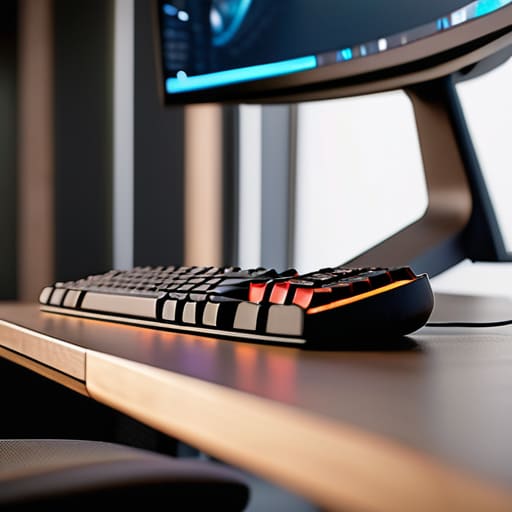
At the end of the day, ergonomics isn’t about buying the most expensive gear or following a strict set of rules just for the sake of it. It’s about recognizing that your physical setup is the foundation of your performance. We’ve looked at how monitor height keeps your focus sharp and how proper lumbar support prevents your body from becoming a distraction during intense sessions. When you align your monitor, your chair, and your peripherals with the way your body actually moves, you stop fighting your environment and start mastering the interface. It’s about removing the friction between your intentions and your actions so that nothing—not even a dull ache in your neck—stands in the way of your progress.
I’ve spent decades moving from arcade cabinets to high-end PC rigs, and if there is one thing I’ve learned, it’s that our bodies change even as our passion for gaming stays constant. We can’t afford to play mindlessly when it comes to our health. Treat your setup with the same respect you give to a complex game mechanic or a difficult boss fight. If you invest in your physical well-being now, you aren’t just preventing discomfort; you are ensuring that you can play with intention for many years to come. Gaming is a lifelong pursuit, and your body deserves to be a partner in that journey, not an obstacle.
Frequently Asked Questions
How can I tell if my current desk height is actually causing long-term strain versus just feeling uncomfortable in the moment?
It’s easy to dismiss a little ache as just “part of the game,” but there’s a difference between temporary fatigue and structural strain. Pay attention to the “hangover” effect: if you notice stiffness in your neck or a dull ache in your wrists that persists long after you’ve put the controller down, your desk height is likely the culprit. If you’re constantly shrugging your shoulders to reach your keyboard, you’re inviting long-term tension.
Are there specific stretches I can do during loading screens to prevent my wrists from locking up?
Don’t let a loading screen go to waste. I’ve learned the hard way that if I don’t move, my wrists start feeling like they’re made of rusted gears. Try some gentle wrist circles or a simple prayer stretch—palms together, elbows out, and slowly lower your hands. Even just a quick shake-out helps reset the tension. It’s about maintaining your physical interface so your focus stays on the mechanics, not the discomfort.
Since I'm often playing on handhelds or smaller devices, how do I maintain good posture without a full desktop setup?
The handheld dilemma is real. When you’re playing on a Switch or a Steam Deck, the temptation is to hunch into a “gamer’s shrimp” position. To fight this, stop playing in your lap on the couch. Try using a lap desk to bring the device closer to eye level, or prop yourself up with firm pillows to maintain that lumbar curve. If you’re in bed, sit against the headboard rather than lying flat. Keep your elbows tucked; don’t let your arms hang unsupported.
