I still remember the smell of ozone and scorched plastic from my first attempt at restoring a handheld from the mid-90s; it’s a scent that stays with you, a visceral reminder of what happens when hardware is pushed too far. Most people treat thermal management as an afterthought, something to worry about only when their frame rates start tanking or their fans begin sounding like a jet engine. But if you’re serious about longevity, you need to realize that cooling systems aren’t just about preventing a crash—they are the silent guardians of your hardware’s cognitive integrity.
I’m not here to sell you on overpriced, RGB-lit gimmicks that promise miracles while doing nothing but adding noise to your setup. Instead, I want to pull back the curtain on the actual mechanics of heat dissipation and how you can optimize your environment without breaking the bank. My goal is to provide you with a no-nonsense roadmap for maintaining thermal stability, ensuring that your gear remains a reliable tool for mastery rather than a temperamental liability.
Table of Contents
Optimizing Heatsink Efficiency for Peak Performance
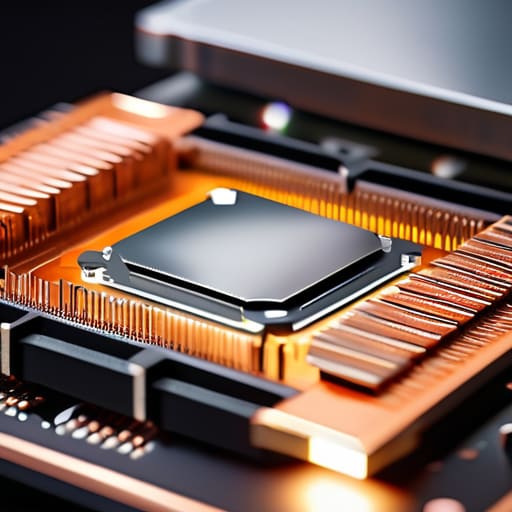
When we talk about keeping a system stable, we have to look past the fans and focus on the actual physics of heat transfer. It isn’t enough to just have a big block of metal; you need to maximize heatsink efficiency by ensuring the interface between the chip and the metal is flawless. I’ve spent many late nights restoring old handhelds where a tiny air gap or dried-out paste meant the difference between a smooth session and a hard crash. If your thermal paste application is uneven, you’re essentially fighting a losing battle against physics from the moment you hit the power button.
Beyond the contact point, understanding the nuances of convection vs conduction cooling changes how you approach your build. It’s a delicate balance: you want high thermal conductivity to pull heat away from the source, but you also need directed airflow to move that heat out of the chassis. I often find that players focus too much on expensive hardware while neglecting fan speed optimization. You don’t always need a jet engine’s worth of noise; sometimes, a smarter, more deliberate airflow pattern is what actually preserves your hardware’s longevity.
The Strategy of Thermal Management Solutions
When we look at thermal management solutions, we have to move past the idea that more fans automatically equals better results. It’s a common mistake to think that simply cranking the volume on your hardware will solve everything, but that’s a recipe for nothing more than a loud, inefficient rig. To truly master your setup, you need to understand the interplay between convection vs conduction cooling. It isn’t just about moving air; it’s about how effectively that heat is being pulled away from the source and transferred into the flow.
I’ve spent many late nights tinkering with vintage handhelds, and the lesson is always the same: efficiency is about the path of least resistance. In a modern build, this means paying close attention to thermal conductivity and how your materials actually behave under load. If your thermal paste is subpar or your mounting pressure is uneven, even the most expensive setup will struggle. Instead of chasing raw power, I prefer to focus on fan speed optimization. Finding that sweet spot where you maintain stable computer component temperature control without turning your desk into a jet engine is where the real skill lies.
The Maintenance Ritual: 5 Practical Steps for Thermal Stability
- Stop treating your PC like a sealed vault; dust is the silent killer of frame rates, so make regular airflow inspections part of your monthly routine.
- Don’t get stingy with thermal paste; applying too much is just as messy and ineffective as too little, so aim for a precise, pea-sized application to ensure a clean bond.
- Map your airflow like a strategy guide—ensure you have a clear path of intake and exhaust to prevent hot air from just swirling around your components in a useless loop.
- Listen to your hardware; if your fans are ramping up to a frantic whine during a simple session, it’s a psychological cue from your rig that your thermal management is failing.
- Manage your cable clutter with intention; a mess of wires isn’t just an eyesore, it’s a physical barrier to the efficient air circulation your high-performance components demand.
The Core Principles of Thermal Mastery
Treat your cooling setup as a core game mechanic; a stable thermal environment is the foundation that allows your hardware—and your skill—to perform without throttling.
Move beyond a “set it and forget it” mindset by regularly auditing your airflow and heatsink integrity to ensure your system remains as responsive as your reflexes.
Balance raw power with intentional design, recognizing that the most efficient cooling solution is one that optimizes performance without sacrificing the quiet focus required for deep play.
The Psychology of Thermal Stability
We often obsess over frame rates and input latency, but we forget that a system struggling against its own heat is a system losing its composure; true mastery requires building a foundation where your hardware can breathe as freely as your strategy.
Delia Okonkwo
Final Thoughts on Thermal Stability
At the end of the day, managing your system’s temperature isn’t just about preventing a hardware meltdown; it’s about protecting your ability to focus. We’ve looked at how optimizing heatsink efficiency and selecting the right thermal management strategy can fundamentally change your experience. When you stop worrying about thermal throttling or sudden frame drops, you stop fighting your hardware and start mastering the game. A stable system provides the consistent environment necessary for the kind of deep, intentional play I strive for in every session. Don’t treat your cooling setup as an afterthought—treat it as a foundational component of your performance architecture.
As I sit here with my tea, watching the steady fans of my current rig, I’m reminded that the best way to enjoy our hobby is to respect the tools that make it possible. Whether you are restoring a vintage handheld or building a high-end desktop, the goal remains the same: longevity and reliability. Gaming is a lifelong pursuit, and we want our gear to last long enough to see us evolve alongside it. Take the time to tune your systems, invest in quality cooling, and play with intention. When your hardware is running cool, your mind is free to do what it does best: conquer the challenge.
Frequently Asked Questions
How do I know if my current thermal paste has degraded enough to actually impact my frame rates?
It’s easy to get lost in the data, but you have to look for the physical symptoms. If you notice your fans ramping up to a frantic whine during relatively light tasks, or if you see sudden, jagged spikes in your temperature telemetry that don’t align with heavy GPU loads, that’s your system struggling. When thermal throttling kicks in, your clock speeds drop to prevent damage, and that’s exactly when those frustrating frame rate stutters begin.
Is the extra noise from a high-performance fan setup worth the trade-off in concentration during intense sessions?
It’s a classic trade-off between hardware stability and cognitive flow. From a psychological standpoint, sudden spikes in decibels can break your concentration, much like a sudden boss phase shift. If you’re playing something that requires intense focus, I’d suggest investing in high-quality noise-canceling headphones. It allows you to maintain a controlled auditory environment, letting the fans do their job in the background while you stay locked into the game’s rhythm.
At what point does upgrading my cooling architecture become a better investment than just buying a new GPU?
It’s a classic cost-benefit puzzle. If your current GPU is thermal throttling—meaning your frame rates tank the moment the fans kick in—upgrading your cooling architecture is a smart, surgical strike to reclaim lost performance. However, if your card is two generations old and struggling with modern shaders, no amount of premium thermal paste or liquid cooling will bridge that architectural gap. Invest in cooling when you’re fighting heat; invest in a new GPU when you’re fighting obsolescence.
