I was sitting at my desk last night, sipping a lukewarm Earl Grey, when I felt that familiar, sharp spike of frustration. I had just missed a crucial flick shot in a high-stakes match, and for a split second, I blamed my reflexes. But as I sat there analyzing the movement, I realized it wasn’t my brain failing me—it was my hardware. We spend hundreds of dollars on RGB lighting and ergonomic shells, yet we often ignore the actual heart of the device: the gaming mouse sensor. There is so much marketing noise claiming that a higher DPI makes you a god, but if your sensor is skipping or jittering during a micro-adjustment, all that raw speed is just meaningless noise.
I’m not here to sell you on the latest overpriced peripheral or feed you the marketing fluff that keeps manufacturers’ pockets lined. My goal is to help you look past the hype and understand the actual mechanics of how your input translates to the screen. I want to break down what a high-quality gaming mouse sensor actually does for your precision and how to identify the technical bottlenecks that are quietly sabotaging your intent. Let’s stop chasing numbers and start mastering the tools that actually respect your skill.
Table of Contents
Optical vs Laser Sensor Technology Choosing Your Tool
When you’re diving into the technical weeds, the debate between optical vs laser sensor technology often feels like a litmus test for how serious you are about your setup. In my experience, it usually comes down to how much you value precision over versatility. Laser sensors were once the gold standard because they could track on almost any surface—even a glass desk—but they carry a certain “jitter” that can feel unpredictable during high-stakes movements. For anyone trying to master muscle memory, that inconsistency is a dealbreaker.
On the other hand, modern optical sensors have evolved significantly. By leveraging advanced CMOS sensor technology in mice, manufacturers have achieved a level of raw accuracy that laser tech simply can’t touch. If you are looking for a predictable, clean signal that translates your hand movements into the game without artificial smoothing, optical is the way to go. It might require a dedicated mousepad, but the trade-off is a level of reliable tracking that allows you to play with true intention.
Cmos Sensor Technology in Mice the Heart of Precision
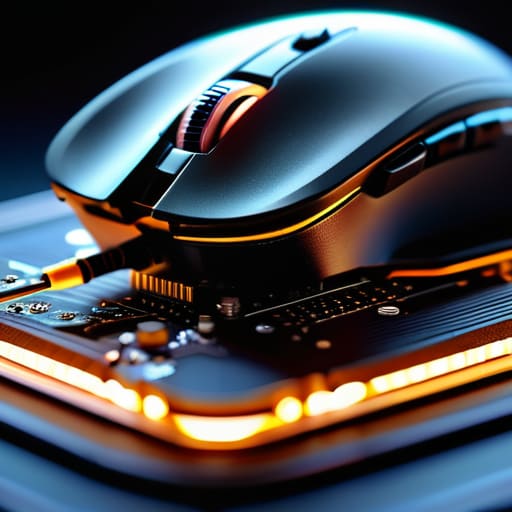
When we peel back the plastic shell, we find the real engine of your precision: the CMOS sensor. Think of it as the digital eye of your mouse, capturing thousands of tiny snapshots of your mousepad every second. In my experience restoring old hardware, I’ve learned that the quality of these “snapshots” determines everything. If the CMOS sensor technology in mice is subpar, you’ll experience a disconnect between your hand’s movement and the cursor’s reaction on screen. This isn’t just about raw speed; it’s about how accurately the sensor interprets the micro-textures of your surface to maintain a consistent stream of data.
This accuracy is where we see the real impact on IPS tracking performance. A high-quality sensor ensures that even during a frantic, high-velocity flick, the tracking doesn’t “spin out” or lose its way. It’s the difference between a tool that obeys your will and one that fights you. When the sensor can handle high-speed movements without losing its grip on the surface, you stop fighting the hardware and start focusing entirely on the mechanics of the game.
Beyond the Spec Sheet: How to Actually Choose Your Sensor
- Stop chasing DPI numbers like they’re a high score; most professional players rarely go above 1600. High DPI is often just marketing noise—what you actually need is a sensor that maintains perfect tracking accuracy at your natural sensitivity.
- Look for “Zero Hardware Acceleration.” If your sensor is smoothing out your movements or adding artificial curves to your path, it’s lying to your brain. You want a direct, 1:1 translation from your hand to the screen so your muscle memory actually has something to build on.
- Pay attention to Lift-Off Distance (LOD). If you’re a player who frequently repositions their mouse, a sensor that keeps tracking while hovering just a millimeter off the pad will feel like fighting against a ghost. Find a sensor that lets you reset your position cleanly.
- Don’t ignore the surface interaction. A high-end sensor is only as good as the friction it’s working with. If you’re investing in a precision sensor, pair it with a high-quality cloth or hybrid pad to ensure the optical tracking doesn’t skip or stutter.
- Test for “Spin-out” potential. Cheap or poorly tuned sensors can lose their orientation during rapid, violent movements—common in high-intensity shooters. If you play with high tension, you need a sensor capable of handling sudden directional shifts without losing its mind.
Precision is Personal: What to Carry Away
Don’t get blinded by marketing jargon; focus on whether the sensor technology actually translates your physical movements into the game without jitter or lag.
Understand that the sensor is the bridge between your intent and the game’s response—a mismatch here is the fastest way to break your flow.
Prioritize reliability over flashy specs, because mastering a mechanic requires hardware that remains consistent even when the pressure is on.
The Invisible Link
“A great sensor shouldn’t feel like a piece of hardware; it should feel like an extension of your own nervous system, translating every subtle twitch of your hand into purposeful action without a millisecond of doubt.”
Delia Okonkwo
Beyond the Specs: Finding Your Perfect Match
At the end of the day, choosing a sensor isn’t just about chasing the highest DPI numbers on a spec sheet. We’ve looked at how optical technology offers that crucial stability and how CMOS advancements have fundamentally changed the way hardware interprets our smallest movements. It’s about understanding that your mouse is the bridge between your cognitive intent and the digital execution. Whether you opt for a top-tier optical sensor to avoid the jitter of older laser tech or prioritize a specific polling rate, the goal remains the same: minimizing the gap between thought and action. When you find that sweet spot, the hardware effectively disappears, leaving you alone with the game.
As I sit here with my tea, watching the light hit a freshly restored handheld, I’m reminded that tools are only as good as the intention behind them. A high-end sensor won’t magically grant you skill, but it will ensure that your hard-earned practice isn’t being undermined by technical limitations. Don’t just buy what the marketing hype dictates; invest in a tool that respects your commitment to mastery. Gaming is a lifelong evolution of skill, and having equipment that translates your focus into precision is a vital part of that journey. Play with purpose, and let your hardware keep up with your ambition.
Frequently Asked Questions
How much does a high-end sensor actually matter if I'm playing casual or single-player games rather than competitive shooters?
Honestly? If you’re mostly exploring sprawling RPGs or enjoying a slow-burn narrative, you don’t need to chase the bleeding edge of sensor specs. A high-end sensor is about minimizing the gap between your brain and the screen. While it’s overkill for casual play, there’s a certain psychological satisfaction in knowing your tools are flawless. If you value seamless immersion, a reliable mid-range sensor is plenty; save the enthusiast budget for something that actually enriches your experience.
Can I tell if my sensor is failing, or is it just a matter of my own muscle memory and technique changing?
It’s a frustrating crossroads to reach. To figure it out, try a “clean slate” test: move to a fresh mousepad and reset your sensitivity settings. If the jitter or skipping persists despite a clean surface and known settings, your sensor is likely degrading. However, if the inconsistency feels more like a lack of rhythm, it’s likely your own mechanics shifting. Don’t blame your hardware until you’ve accounted for your own evolution.
At what point does the technical specification of a sensor become "diminishing returns" for the average player?
For most of us, the “diminishing returns” cliff hits much sooner than the marketing hype suggests. Once you have a sensor with high-quality tracking, consistent lift-off distance, and zero noticeable acceleration, you’ve reached the plateau. Chasing a higher DPI or more “dots per inch” won’t actually improve your muscle memory or reaction time. At a certain point, you aren’t buying more precision; you’re just paying for numbers that your brain can’t even perceive.
