
I remember sitting in my dimly lit home office years ago, nursing a lukewarm Earl Grey, only to realize my frustration with a difficult boss fight wasn’t my skill—it was my gear. I was squinting at a washed-out screen where the shadows looked like a muddy gray mess, making it impossible to distinguish a lurking enemy from the background. Most manufacturers will try to sell you on astronomical refresh rates or flashy marketing buzzwords, but they often ignore the fundamental truth: if your monitor backlight technology is subpar, you’re fighting a losing battle against your own eyes. It’s not about having the most expensive setup; it’s about having the visual clarity required to actually process what’s happening on screen.
I’m not here to push overpriced hardware or feed you the latest industry hype. Instead, I want to strip away the jargon and look at how light actually functions within these systems. My goal is to provide you with a grounded, technical breakdown of how different backlight types affect your perception and focus. We are going to move past the mindless consumption of specs and instead learn how to choose the right tools to master the mechanics of your favorite games.
Table of Contents
- Lcd Panel Illumination Methods Beyond Mindless Consumption
- The Nit Brightness Levels That Define True Mastery
- Precision in Perception: 5 Ways to Optimize Your Visual Setup
- Final Thoughts: Viewing Your Monitor as a Tool for Intentional Play
- The Cognitive Cost of Poor Contrast
- Choosing Your Visual Foundation
- Frequently Asked Questions
Lcd Panel Illumination Methods Beyond Mindless Consumption
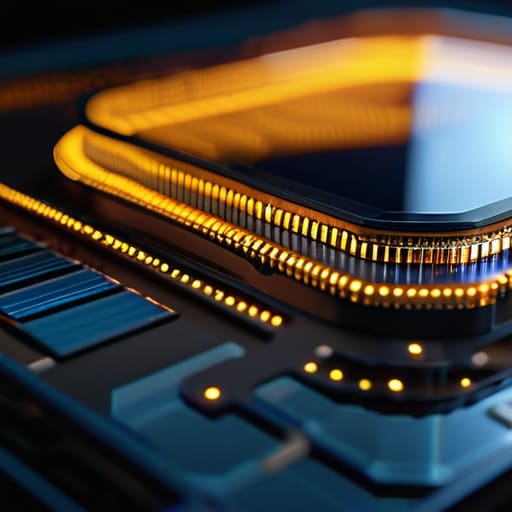
When we dive into the mechanics of how an image is actually rendered, we have to look past the marketing buzzwords. Most people treat their screens like a black box, but understanding the nuances of LCD panel illumination methods changes how you perceive every frame. It isn’t just about seeing a picture; it’s about how light is managed to prevent visual fatigue and maintain clarity. If you’re playing a dark, atmospheric title, a standard edge-lit setup might leave you squinting through a grey haze, whereas a more sophisticated array can actually respect the intent of the game designer.
This is where the technical divide becomes a matter of performance rather than just spec-sheet chasing. For instance, when we look at mini-LED backlight benefits, we are essentially discussing the precision of light control. By utilizing thousands of tiny LEDs, a monitor can achieve much higher nit brightness levels while minimizing that annoying glow in the corners. Instead of a single, blunt light source, you get a system that mimics the precision required for high-level play, ensuring that shadows stay deep and highlights remain crisp without sacrificing the integrity of the game’s visual system.
The Nit Brightness Levels That Define True Mastery

When we talk about nit brightness levels, we aren’t just discussing how “bright” a screen looks; we are discussing the ability to perceive detail within a dynamic range. If your monitor lacks sufficient peak brightness, those crucial moments in a dark corridor or a sun-drenched landscape become a muddy mess. You can’t master a system if you can’t actually see the feedback the system is giving you. This is where the distinction between LED vs OLED display technology becomes vital for your setup. While OLED offers near-perfect blacks, it often struggles to hit the extreme luminance peaks that high-end LED-driven displays can achieve.
To truly elevate your play, you need to look for displays that utilize mini-LED backlight benefits to drive those high nit counts. When a monitor can push high brightness while simultaneously managing light through precise dimming, you avoid the frustration of washed-out shadows. It’s about more than just raw power; it’s about the intentional control of light to ensure that every visual cue is sharp, distinct, and actionable. Don’t settle for a display that leaves you squinting or guessing.
Precision in Perception: 5 Ways to Optimize Your Visual Setup
- Prioritize Local Dimming for Depth. If you’re playing a moody atmospheric horror game, a standard edge-lit panel will just wash out the shadows into a muddy gray. Look for FALD (Full Array Local Dimming) to ensure that when the screen is supposed to be pitch black, it actually stays that way.
- Mind the Response Time of the Backlight. It isn’t just about the pixels; it’s about how fast the light responds. Slow backlight transitions can cause “blooming” or ghosting around bright objects, which breaks your immersion and distracts you from the mechanics you’re trying to master.
- Don’t Overlook Color Accuracy. High brightness is useless if the light spectrum is skewed. Ensure your backlight technology supports a wide color gamut so that the visual cues—like a specific enemy glow or a subtle environmental change—are rendered exactly as the developers intended.
- Match Your Brightness to Your Environment. There’s no point in pushing for maximum nits if you’re playing in a dimly lit room; you’ll just strain your eyes. I always check my ambient light levels before deciding how much power I need from my panel.
- Watch for Uniformity Issues. A great backlight should be consistent across the entire field of view. If one corner of your screen is noticeably dimmer than the center, it creates a cognitive load that can pull you out of the “flow state” during intense gameplay sessions.
Final Thoughts: Viewing Your Monitor as a Tool for Intentional Play
Stop treating your monitor as a passive screen; choose a backlight technology that supports the specific visual demands of the games you master.
Prioritize high peak brightness and precise light control to ensure that visual clutter doesn’t distract you from the underlying mechanics of the game.
Invest in hardware that respects your eyes and your focus, turning your setup from a simple distraction into a professional-grade environment for intentional gaming.
The Cognitive Cost of Poor Contrast
When your backlight technology is subpar, you aren’t just losing image quality; you’re losing the ability to read the environment. If you’re squinting through a grey haze to distinguish a shadow from a wall, you aren’t playing the game—you’re fighting your hardware.
Delia Okonkwo
Choosing Your Visual Foundation
At the end of the day, selecting the right backlight technology isn’t about chasing the highest spec sheet or buying into the latest marketing hype. It’s about understanding how light interacts with your eyes and your gameplay. Whether you decide on the precision of Mini-LED for those deep, crushing blacks or the seamless uniformity of a high-quality edge-lit panel, your choice dictates how much of the game’s intended atmosphere actually reaches your brain. Don’t settle for a display that forces you to struggle against glare or washed-out shadows; instead, prioritize the clarity and contrast necessary to read the environment before your opponent does.
We often spend so much time perfecting our mechanical skill—our timing, our aim, our decision-making—that we forget the hardware is the very lens through which we experience these complex systems. A monitor that fails to deliver true visual fidelity is a bottleneck on your potential. As you refine your setup, remember that every piece of gear should serve a purpose in your journey toward mastery. Approach your hardware with the same intentionality that you bring to a difficult boss fight. When you align your tools with your ambitions, you aren’t just playing a game; you are truly inhabiting it.
Frequently Asked Questions
How much does backlight bleed actually impact my ability to track fast-moving objects in high-stakes gameplay?
It’s more than just a visual annoyance; it’s a cognitive tax. When backlight bleed washes out dark areas, it destroys your contrast ratio, effectively blurring the edges of fast-moving targets. Instead of tracking a crisp silhouette, your brain has to work overtime to distinguish the character from the glowing “fog” around them. In high-stakes moments, that split-second delay in visual processing is the difference between a clean hit and a missed opportunity.
Is it worth the extra investment to move from a standard edge-lit setup to a full-array local dimming system?
If you’re serious about immersion, the answer is a resounding yes. Edge-lit displays often struggle with “blooming”—that annoying halo of light around bright objects in dark scenes—which breaks your concentration and ruins the atmosphere. A full-array local dimming system allows for much tighter control over light zones, providing the deep blacks and high contrast necessary to actually see the mechanics of a dark level. It’s an investment in your visual clarity.
Can a poorly optimized backlight actually cause eye strain during those long, focused sessions I tend to get lost in?
Absolutely. It’s not just in your head. When a backlight is poorly optimized—think uneven light distribution or excessive flickering—your eyes are constantly working overtime to compensate for the visual inconsistencies. If you’re chasing a high score in a dark corridor and the backlight is “blooming” or washing out the shadows, your pupils are struggling to adjust. That constant micro-adjustment is exactly what leads to that heavy, fatigued feeling after a long session.
