I remember sitting in my dim home office last Tuesday, the scent of Earl Grey drifting through the air, only to be interrupted by the frantic, high-pitched whine of my desktop fans. It wasn’t just noise; it was the sound of a system struggling to breathe. We’ve been sold this myth that high-end gaming pc cooling requires a liquid-cooled masterpiece with enough RGB lighting to signal a landing strip, but more often than not, you’re just paying for aesthetic vanity. In my experience, chasing the most expensive thermal solution is frequently a distraction from the actual mechanics of airflow and pressure.
I’m not here to sell you on flashy, overpriced hardware that does nothing but look pretty in a dark room. Instead, I want to strip away the marketing fluff and look at the systems themselves. I’m going to share what I’ve learned about building a thermal environment that actually supports your performance, rather than fighting against it. My goal is to help you achieve sustained stability through intentional, efficient design, so you can stop worrying about your hardware and get back to the joy of the game.
Table of Contents
- The Art of Preventing Thermal Throttling Through Intention
- Choosing High Performance Cooling Solutions for Sustained Excellence
- Precision Maintenance: Small Adjustments for Long-Term Thermal Stability
- The Core Essentials of Thermal Management
- ## The Cognitive Cost of Heat
- The Long Game of Thermal Management
- Frequently Asked Questions
The Art of Preventing Thermal Throttling Through Intention
When we talk about performance, we often focus on frame rates and clock speeds, but we tend to ignore the silent killer: thermal throttling. To me, managing your hardware is a lot like studying a game’s difficulty curve; if you don’t respect the underlying systems, you’ll hit a wall you can’t climb over. Preventing thermal throttling isn’t just about adding more fans; it’s about understanding how heat moves through your specific setup. If your system is constantly downclocking to protect itself, you aren’t actually playing the game you paid for—you’re playing a compromised version of it.
This requires a shift from reactive fixes to intentional design. Instead of just slapping a fan in a slot, you need to analyze your pc case airflow patterns to ensure you aren’t just recirculating hot air like a closed loop. Whether you are debating the merits of all-in-one liquid coolers vs air coolers or simply perfecting your cable management, the goal is the same: creating a stable environment where your components can breathe. When you master the thermal equilibrium of your rig, you stop fighting your hardware and start focusing entirely on the mastery of the game.
Choosing High Performance Cooling Solutions for Sustained Excellence
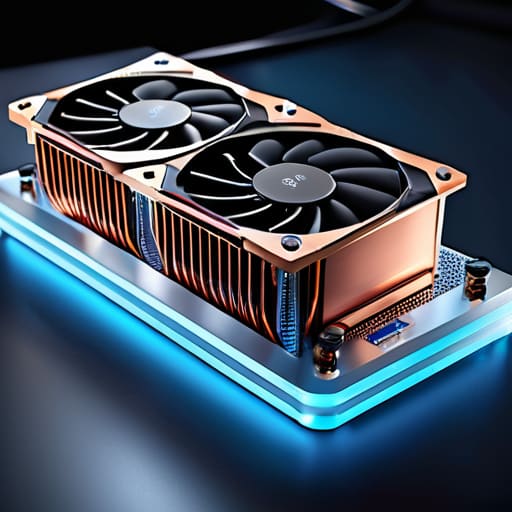
When you move beyond just preventing heat spikes and start looking at your rig as a cohesive system, the hardware choices become much more significant. I often find myself weighing the merits of all-in-one liquid coolers vs air coolers depending on the specific demands of the software I’m running. While a massive air tower is reliable and simple, an AIO can offer a level of thermal stability that feels almost surgical during intense, long-form sessions. It isn’t just about raw power; it’s about choosing the tool that maintains a consistent environment for your components to thrive.
However, the best hardware in the world won’t save you if you ignore the physics of your chassis. I’ve learned through years of tinkering that mastering pc case airflow patterns is where true efficiency happens. It’s a delicate dance of intake and exhaust; if you don’t create a clear path for heat to exit, you’re essentially asking your components to breathe in their own exhaust. Achieving that perfect equilibrium requires a bit of intention, but once you nail the direction of your fans, the sustained performance follows naturally.
Precision Maintenance: Small Adjustments for Long-Term Thermal Stability
- Don’t neglect the dust; a layer of grime on your intake filters acts like a thermal blanket, forcing your fans to work harder just to achieve mediocre airflow.
- Reapply your thermal paste with intention; over time, the compound can dry out and lose its efficacy, creating a bottleneck between your CPU and your heatsink.
- Optimize your case’s pressure balance by ensuring you have a healthy mix of intake and exhaust fans, preventing the stagnant heat pockets that kill performance.
- Cable management isn’t just about aesthetics; keeping your internal wiring tidy ensures a clear path for air to travel, which is vital for maintaining a consistent temperature.
- Monitor your thermals with a dedicated software overlay during intense sessions, treating temperature data as a vital feedback loop for your hardware’s health.
The Core Essentials of Thermal Management
Treat cooling not as an afterthought, but as a foundational component of your gaming system that directly impacts your ability to maintain peak performance.
Prioritize hardware that prevents thermal throttling, ensuring your focus remains on the game mechanics rather than fighting against hardware limitations.
Approach your PC build with intention, selecting cooling solutions that balance raw power with the sustained stability required for long, meaningful sessions.
## The Cognitive Cost of Heat
“We often focus so intently on perfecting our reflexes and reading the game’s patterns, but we forget that a thermal spike is a silent disruptor; if your hardware is struggling to breathe, you’re fighting the machine instead of mastering the mechanics.”
Delia Okonkwo
The Long Game of Thermal Management
At its core, managing your PC’s temperature isn’t just about avoiding hardware failure or chasing the highest possible frame rates; it is about protecting your ability to enter a state of flow. We have discussed how thermal throttling acts as a psychological disruptor, breaking your concentration just when the mechanics require your full attention. By choosing high-performance cooling solutions and understanding the intentionality behind airflow, you aren’t just maintaining a machine—you are cultivating a stable environment for your passion. When you move away from mindless component selection and toward a strategy of sustained thermal equilibrium, you ensure that your hardware works with you, rather than against you.
As I sit here with my lukewarm tea, watching the fans spin steadily on my own rig, I am reminded that mastery in gaming is a multi-layered pursuit. It extends beyond the controller or the keyboard; it reaches into the very silicon and copper that power our digital worlds. Don’t view cooling as a chore or a technical afterthought, but as a vital component of your overall gaming discipline. When you respect the physics of your system, you unlock a level of consistency that allows you to truly master the games you love. Play with intention, keep your temperatures low, and let the performance follow.
Frequently Asked Questions
How do I know if my current cooling setup is actually failing, or if it's just a demanding game pushing my hardware to its limits?
It’s a fine line between a demanding title and a failing system. I usually look for the “stutter.” If you notice sudden, rhythmic frame drops or a sharp spike in fan noise that doesn’t settle, that’s a red flag for thermal throttling. Use a monitoring tool like HWMonitor; if your CPU or GPU is consistently hitting 90°C+, it’s not just a heavy game—your cooling setup is struggling to maintain equilibrium.
Is it worth investing in a high-end liquid cooling loop, or will a well-managed air-cooling setup suffice for long-term stability?
For most of us, a well-managed air-cooling setup is more than sufficient. If you prioritize long-term stability and ease of maintenance, high-end air coolers offer incredible reliability without the risk of leaks or pump failure. A custom liquid loop is a beautiful piece of engineering, but it requires a level of constant vigilance that can distract from the game itself. Unless you’re chasing extreme overclocking, stick to robust air cooling; it’s about sustainable performance, not vanity.
How much does the physical layout and airflow direction inside my case actually impact the longevity of my components?
Think of your PC case as a living ecosystem. If your airflow is chaotic, you’re essentially forcing your components to breathe stale, heated air. This constant thermal stress isn’t just a performance killer; it’s a slow burn for your hardware. Proper directional flow—bringing cool air in and exhausting heat out—reduces the microscopic wear caused by temperature fluctuations. Respecting the physics of your case is an investment in the longevity of your gear.
