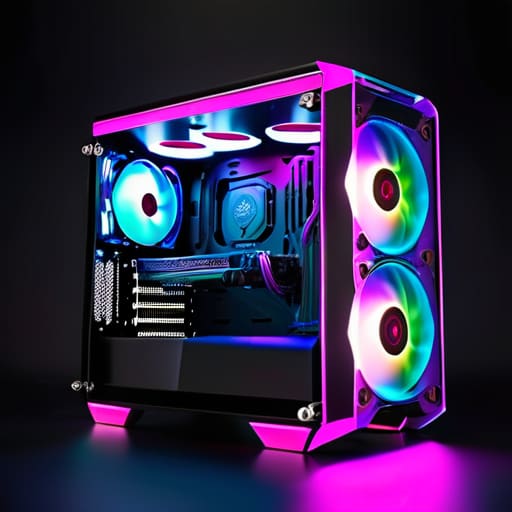
I remember sitting on my bedroom floor in the late 90s, surrounded by a chaotic tangle of wires and a heavy, beige tower that felt more like a space heater than a machine. Back then, we didn’t care about aesthetics; we just wanted our hardware to survive the night. Fast forward to today, and I see people dropping hundreds of dollars on flashy, over-engineered cases for gaming that prioritize neon light shows over actual thermal efficiency. It frustrates me to see players chasing a specific “look” while completely ignoring the mechanical integrity and airflow required to keep their systems running at peak performance.
I’m not here to sell you on the latest RGB trend or convince you that a more expensive chassis will magically improve your K/D ratio. Instead, I want to help you approach your setup with intention. I’ll be breaking down how to select a chassis that respects your components and supports a stable, long-term environment for your playstyle. We are going to look past the marketing hype and focus on the engineering that actually matters, so you can spend less time worrying about overheating and more time mastering the games you love.
Table of Contents
- High Airflow Chassis Design Prioritizing Pc Case Thermal Performance
- Mid Tower vs Full Tower Selecting Your Ideal Playing Field
- Beyond the Aesthetics: Five Tactical Considerations for Your Next Build
- Final Thoughts: Investing in Your Setup
- The Foundation of the System
- Choosing Your Foundation
- Frequently Asked Questions
High Airflow Chassis Design Prioritizing Pc Case Thermal Performance
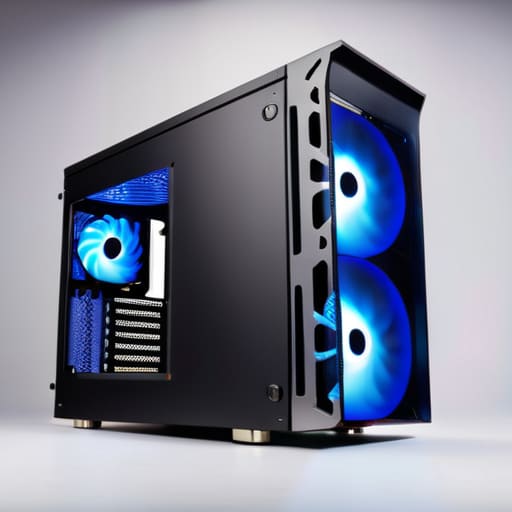
When we talk about high airflow chassis design, we aren’t just discussing aesthetic mesh panels; we are talking about the fundamental physics of your machine. If you’ve ever felt the frustration of a frame rate drop during a critical boss fight, you’ve likely experienced thermal throttling firsthand. A case that lacks proper ventilation forces your components to work harder just to stay cool, which eventually degrades their longevity. To maintain peak pc case thermal performance, you need a layout that treats air as a precious resource, moving it through the system with minimal resistance.
I often find myself analyzing the trade-offs between different form factors, specifically the mid tower vs full tower debate. While a larger tower offers more breathing room and easier liquid cooling support, a well-engineered mid tower can provide exceptional thermal management without swallowing your entire desk. The goal is to find a balance where the airflow patterns are intentional, ensuring that heat is swept away from your GPU and CPU before it can pool in stagnant corners. It’s about creating an environment where your hardware can perform at its absolute limit, uninterrupted.
Mid Tower vs Full Tower Selecting Your Ideal Playing Field
When deciding between a mid tower vs full tower, I find it helpful to stop thinking about “size” and start thinking about spatial intention. A mid tower is often the sweet spot for most of us; it offers a compact footprint that doesn’t swallow your entire desk, yet it provides enough breathing room for standard components. If you aren’t planning on running a massive array of drives or a custom loop, a mid tower keeps your setup focused and efficient. It’s about choosing a chassis that matches the scale of your actual needs rather than just buying space for the sake of it.
On the other hand, the full tower is a different beast entirely—it’s a dedicated workstation for the enthusiast. If your goal is to push your hardware to its absolute limits with extensive liquid cooling support or multiple high-end GPUs, the extra volume becomes a necessity. More importantly, the sheer internal real estate offers superior cable management solutions, allowing you to tuck away the clutter that often disrupts a clean aesthetic. For me, the choice comes down to whether you want a streamlined, agile setup or a sprawling, high-capacity command center.
Beyond the Aesthetics: Five Tactical Considerations for Your Next Build
- Prioritize cable management paths that actually make sense. A clean interior isn’t just about looking good for a photo; it’s about removing physical obstructions to airflow and making future component upgrades less of a headache.
- Don’t overlook the importance of dust filtration. If you’re serious about the longevity of your hardware, choose a case with easily accessible, washable filters. It’s much easier to clean a mesh panel than it is to deep-clean a heat sink.
- Evaluate your I/O placement based on your actual habits. If you frequently plug in peripherals or external drives while playing, ensure the front-panel ports are positioned where they won’t be constantly strained or blocked by your desk setup.
- Check the clearance for your specific GPU and CPU cooler. It’s easy to get caught up in the specs of a chassis, but nothing kills the momentum of a build like realizing your high-performance components are physically too large for the “ideal” case.
- Consider the acoustic properties of the materials. If you prefer a focused, immersive environment, look for cases with sound-dampening foam or thick panels that prevent your fans from turning your gaming space into a high-decibel wind tunnel.
Final Thoughts: Investing in Your Setup
Don’t view a case as a mere box for parts; treat it as the foundation of your system’s longevity and thermal stability.
Choose a form factor that balances your physical workspace with the actual complexity and upgrade path of your hardware.
Prioritize airflow and build quality over aesthetics alone to ensure your components can perform under the pressure of intense sessions.
The Foundation of the System
A gaming case isn’t just a box to hold your components; it is the environment that dictates how long your hardware can perform at its peak. If you don’t respect the thermal physics of your setup, you aren’t just risking a slowdown—you’re compromising the very tools you need to master the game.
Delia Okonkwo
Choosing Your Foundation
Selecting a case isn’t just about picking a pretty box to sit under your desk; it is about establishing the physical foundation for your entire digital experience. We have looked at how thermal management through high-airflow designs prevents performance throttling, and how the scale of your chassis—whether it is a nimble mid-tower or a sprawling full-tower—dictates your long-term upgrade path. When you balance these technical requirements with your specific hardware needs, you aren’t just buying a component; you are investing in the longevity of your machine. A well-chosen case ensures that your components can breathe, perform, and endure the intense sessions that make gaming so rewarding.
At the end of the day, your setup should reflect the way you approach the games you love. Whether you are a minimalist seeking efficiency or a builder crafting a masterpiece, remember that every piece of gear is a tool meant to facilitate your mastery. Don’t settle for a setup that merely functions; aim for one that respects the complexity of your passion. As you move from the selection process to the actual build, do so with intention. The right environment won’t just keep your hardware cool—it will provide the stability you need to focus entirely on the systems, the challenges, and the pure joy of the game.
Frequently Asked Questions
How much does the physical layout of a case actually impact my ability to manage cables and maintain a clean, functional workspace?
It’s more significant than most people realize. A case isn’t just a box; it’s the infrastructure of your system. If the layout lacks dedicated routing channels or sufficient space behind the motherboard tray, you aren’t just dealing with a “messy” look—you’re fighting against airflow obstructions and thermal inefficiency. A well-engineered layout turns cable management from a frustrating chore into a streamlined process, allowing you to focus on the game rather than the clutter.
Is it worth investing in a premium case for aesthetics, or should I prioritize raw thermal efficiency every single time?
It’s a classic tug-of-war between form and function. If you’re chasing peak performance, thermal efficiency is your baseline; a stifled system is a wasted investment. However, I don’t view aesthetics as mere vanity. Your setup is the environment where you spend your most focused hours. If a premium, beautiful case inspires you to sit down and engage with your hobby, that psychological value is real. Aim for a balance: find a chassis that respects your hardware’s needs while actually looking like something you’re proud to own.
When upgrading an older build, how do I ensure my current components will actually fit into a modern chassis without running into compatibility headaches?
Compatibility is where many intentional builds stumble. Before you commit, don’t just trust the “compatible” badge; verify the specifics. Check your motherboard’s form factor against the case’s mounting points, and measure your GPU length against the internal clearance. Most importantly, check the CPU cooler height and PSU depth. I’ve seen too many beautiful upgrades sidelined because a massive modern card hit a front radiator. Measure twice, buy once.
