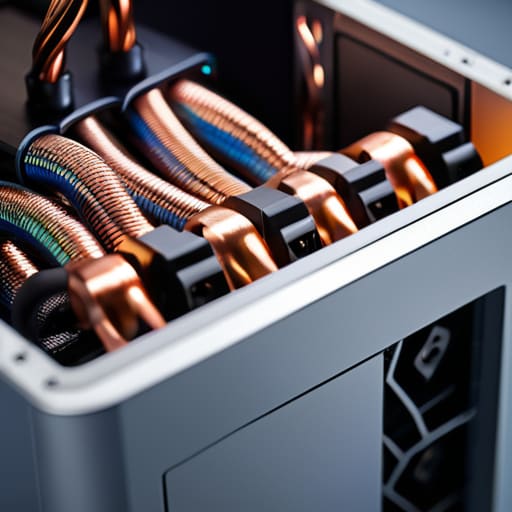
I still remember the smell of ozone and scorched solder from my first real mistake: trying to revive a vintage handheld with a cheap, unbranded adapter I’d scavenged from a bargain bin. I thought I was being thrifty, but I was actually just gambling with my hardware. Most people treat power supplies like an afterthought, something you just grab based on the lowest price tag or a flashy RGB light strip, but that mindset is exactly how you end up killing an expensive GPU. It’s not just about wattage; it’s about the integrity of the current being fed into your system.
I’m not here to sell you on the latest overpriced boutique brand or feed you a list of marketing buzzwords that mean nothing when your rig is under heavy load. Instead, I want to help you approach your build with the same intentionality we bring to mastering a difficult boss fight. I’m going to break down what actually matters—stability, efficiency, and long-term reliability—so you can stop guessing and start building with confidence. Let’s treat your hardware with the respect it deserves.
Table of Contents
- Decoding 80 Plus Certification Levels for Maximum Efficiency
- Navigating Pc Building Components With Precision and Intent
- The Five Pillars of a Stable Build: Essential PSU Tactics
- Mastering the Core: Final Thoughts on Your Power Strategy
- The Silent Foundation
- Finalizing Your Build: The Foundation of Stability
- Frequently Asked Questions
Decoding 80 Plus Certification Levels for Maximum Efficiency
When you start digging into the technical specs, you’ll inevitably run into the 80 Plus hierarchy. It’s easy to view these ratings as mere marketing fluff, but from a psychological standpoint, they represent a promise of stability. The different 80 plus certification levels—ranging from Bronze up to Titanium—essentially tell you how much electricity is being wasted as heat versus how much is actually powering your components. If you’re building a high-end rig for long, intensive sessions, aiming for Gold or higher isn’t just about saving a few pennies on your utility bill; it’s about ensuring your system operates with maximum thermal efficiency.
I often tell my clients to look past the shiny sticker and consider what’s happening under the hood. A higher certification usually implies better internal architecture, specifically regarding how the unit handles capacitors and voltage ripple. High ripple can lead to inconsistent power delivery, which is the silent killer of expensive GPUs. Think of it like a steady heartbeat for your machine; you want that flow to be as smooth and intentional as possible to ensure your hardware’s longevity.
Navigating Pc Building Components With Precision and Intent
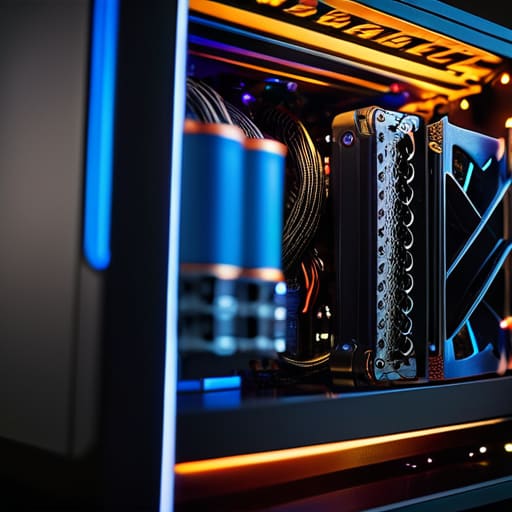
When you start gathering your PC building components, it’s easy to get swept up in the dopamine hit of picking out a flashy GPU or a high-speed processor. But if we treat a build like a well-designed game mechanic, we have to look at the underlying systems that keep everything running smoothly. Choosing a unit isn’t just about checking a box; it’s about intentionality. If you don’t plan for the spikes in power demand, you’re essentially playing a high-stakes boss fight without any health potions.
I always suggest running your parts through a power supply unit wattage calculator before you commit to a purchase. It’s much better to over-spec slightly than to live in constant fear of a system crash during a critical moment. While you’re at it, consider the cable management aspect. Deciding between non-modular vs semi-modular PSU options can make the difference between a clean, efficient airflow path and a cluttered mess of wires that traps heat. Think of it as optimizing your workspace: a little bit of upfront organization prevents a lot of mid-game frustration later.
The Five Pillars of a Stable Build: Essential PSU Tactics
- Don’t play it close to the edge with wattage. I’ve seen too many builds struggle because the user calculated for the bare minimum; always leave yourself a 20% buffer to account for transient spikes and future upgrades.
- Prioritize the modular approach. A fully modular PSU isn’t just about aesthetics; it’s about intentional cable management that improves airflow, keeping your system cool and your internal environment organized.
- Check the rail distribution. It’s easy to get distracted by a flashy brand name, but you need to look at the +12V rail specifically—that’s where your heavy lifting happens, and it needs to be rock solid.
- Respect the warranty as a proxy for quality. In my experience, a manufacturer willing to back a unit with a 7 to 10-year warranty is signaling that their internal components are built for longevity, not just quick profit.
- Avoid the “bargain bin” trap. A cheap, unrated power supply is a single point of failure that can take your entire, carefully curated system down with it; treat your PSU as the foundation, not an afterthought.
Mastering the Core: Final Thoughts on Your Power Strategy
Treat your power supply as the heartbeat of your system, not an afterthought; a stable, high-quality unit ensures your hardware performs with the consistency required for high-stakes gaming.
Don’t get lost in the marketing noise of certification levels; choose an efficiency rating that aligns with your actual usage and long-term goals for your build.
Approach your component selection with intention, ensuring your PSU provides enough headroom to handle future upgrades without compromising the stability of your current setup.
The Silent Foundation
We often obsess over the flashy GPU or the lightning-fast CPU, but a power supply isn’t just a box of wires; it’s the steady heartbeat of your entire system. If you don’t treat your power delivery with intention, you’re essentially building a high-level character on a foundation of sand.
Delia Okonkwo
Finalizing Your Build: The Foundation of Stability
At the end of the day, choosing a power supply isn’t just about checking a box on a parts list; it’s about understanding the ecosystem you are building. We’ve looked at how 80 Plus certifications dictate efficiency and how to approach component selection with the same precision you’d use to master a complex boss fight. If you ignore the quality of your PSU, you aren’t just risking a crash; you are risking the long-term health of every single component in your rig. Treat your power delivery as the unseen backbone of your machine, ensuring it provides the stable, intentional energy required to sustain high-performance gameplay without compromise.
As I sit here with my tea, watching the glow of my monitors, I’m reminded that the best setups are built on intention, not impulse. Whether you are building a high-end workstation or a budget-friendly gaming rig, remember that every choice you make is a step toward a more seamless experience. Don’t just play to pass the time; build a system that respects the games you love. Mastery starts long before you hit the start button—it begins with the foundation you lay and the deliberate decisions you make during the build. Happy gaming, and build with purpose.
Frequently Asked Questions
Is it actually worth paying the premium for a high-efficiency unit, or am I just chasing a spec sheet?
It’s a fair question, and honestly, it’s easy to get lost in the numbers. If you’re just running a budget build for casual tasks, you aren’t going to see a massive difference in your electric bill. But for those of us running high-performance rigs, efficiency is about more than just cents; it’s about heat management and stability. A high-efficiency unit runs cooler and more reliably, protecting your investment like a well-optimized game engine.
How much "headroom" do I really need to leave in my wattage calculations to ensure my system stays stable during heavy loads?
Think of headroom like a buffer in a high-stakes boss fight; you don’t want to be redlining your health bar when things get intense. I generally recommend aiming for a 20% to 30% margin above your calculated peak draw. This isn’t just about preventing crashes during heavy loads; it’s about efficiency and longevity. Running a PSU near its limit generates unnecessary heat, whereas a little extra breathing room keeps your system stable and your components cool.
Can a low-quality power supply actually damage my more expensive components, or is that just an old-school urban legend?
It’s definitely not an urban legend. Think of your power supply as the heart of your system; if it skips a beat or sends an irregular pulse, the rest of the body suffers. A cheap, low-quality unit often lacks the sophisticated voltage regulation needed to handle spikes. When that protection fails, it doesn’t just shut down—it can send a surge straight into your GPU or motherboard, turning a small budget saving into a very expensive mistake.
