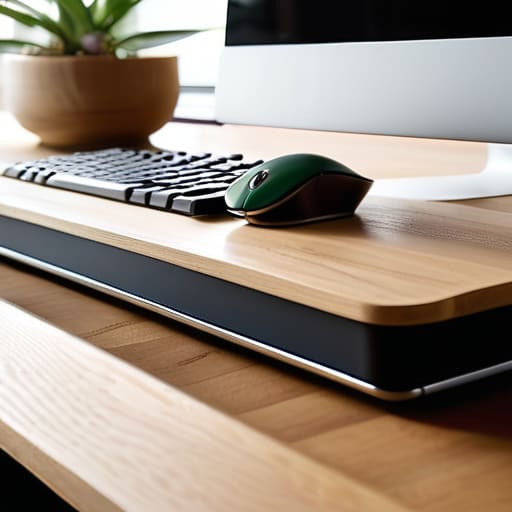
I remember sitting hunched over a flickering CRT monitor in my childhood bedroom, my wrists aching from a controller that felt more like a jagged rock than a tool for play. Back then, I thought the discomfort was just the price of admission, a rite of passage for any serious gamer. But as I’ve transitioned from those early arcade days to a career in technical writing, I’ve realized that most of the modern advice surrounding peripheral ergonomics is nothing but expensive, over-engineered nonsense. You don’t need a thousand-dollar chair or a “smart” mouse that promises to revolutionize your reflexes; you need to understand how your body actually interacts with the systems you’re trying to master.
I’m not here to sell you on the latest overpriced gimmick or give you a lecture filled with clinical jargon. Instead, I want to offer a grounded perspective on how to actually set up your space so you can play with intention. We are going to strip away the marketing hype and focus on the practical, physiological realities of your setup. My goal is to help you build a command center that supports your longevity, ensuring that physical discomfort never becomes the bottleneck between your skill and the game.
Table of Contents
Achieving a Neutral Wrist Position for Intentional Play

Achieving a Neutral Wrist Position for Intentional Play
When I’m deep in a session—whether I’m troubleshooting a circuit on a vintage Game Boy or navigating a complex strategy game—I’ve noticed how easily I succumb to “the tilt.” We tend to rest our wrists on the edge of the desk or angle them sharply upward to reach our keys, but that tension is a slow leak in your performance. To maintain focus, you need to aim for a neutral wrist position, where your hands, wrists, and forearms form a relatively straight line. Think of it as minimizing the friction in your biological hardware; if your joints are under constant mechanical stress, your cognitive load increases just to manage the discomfort.
This isn’t just about comfort; it’s about longevity. If you’re looking for effective repetitive strain injury prevention, you have to stop treating your wrists like indestructible tools. I’ve found that adjusting the height of my chair so my elbows sit at a 90-degree angle makes a world of difference. When your wrists aren’t cocked at odd angles, you aren’t just avoiding pain—you’re ensuring that your physical movements remain as precise and intentional as your mental strategy.
Mechanical Keyboard Ergonomics Precision Beyond the Click
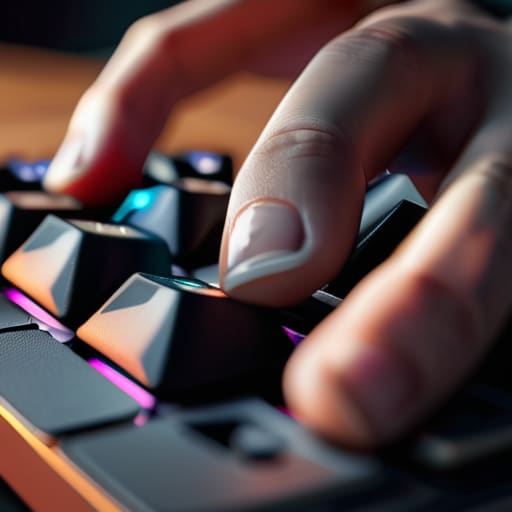
When I was restoring my old handhelds last weekend, I was reminded of how much tactile feedback matters. In modern gaming, that feedback translates to your keyboard. If you’re chasing high-level execution, the way your keys actuate is just as vital as your reaction time. However, many players overlook how the physical height and angle of a mechanical board can disrupt their flow. A keyboard that is too high or angled aggressively forces your hands into awkward positions, which is a direct invitation for fatigue.
To maintain a neutral wrist position, I recommend experimenting with a keyboard tray or even a simple wrist rest to bridge the gap between your desk and your fingertips. It isn’t just about comfort; it’s about mechanical efficiency. If you find yourself fighting against the hardware, you aren’t playing at your peak. Prioritizing proper mechanical keyboard ergonomics ensures that your inputs remain crisp and intentional, rather than sluggish and strained. Think of your keyboard not just as a tool for input, but as a precision instrument that should support, rather than hinder, your mastery of the game.
Refining Your Setup: Five Tactical Adjustments for Longevity
- Monitor Height and the Eye-Line Rule: Stop slouching toward your screen. Your eyes should naturally rest on the top third of your monitor so your neck stays neutral; if you’re constantly tilting your head down to check a HUD, you’re inviting tension that will eventually break your focus.
- The Mouse Grip and Micro-Movements: Whether you use a palm or claw grip, ensure your forearm is supported by your desk or armrest. If your wrist is hanging in mid-air, you’re forcing those tiny, repetitive muscles to do all the heavy lifting, which is a fast track to fatigue.
- Audio Fatigue and Soundstage Balance: Ergonomics isn’t just about your hands; it’s about your sensory load. Use open-back headphones if you find yourself tensing up from heavy bass or isolation, and keep the volume at a level that allows you to hear spatial cues without causing auditory strain.
- Foot Placement and Core Stability: You can’t have steady hands if your foundation is shaky. Keep your feet flat on the floor or a sturdy footrest to ground your posture; it stabilizes your pelvis and prevents that subconscious leaning that leads to lower back pain during long sessions.
- The Micro-Break Protocol: Even the most optimized setup fails if you don’t reset the system. Every hour, take sixty seconds to stretch your fingers and look away from the screen—think of it like recalibrating a sensor; you’re clearing the mental and physical noise to maintain peak precision.
Mastering Your Setup for Long-Term Mastery
Treat your ergonomics as a foundational mechanic; a poorly positioned wrist isn’t just a discomfort, it’s a bottleneck that limits your ability to execute precise movements.
Precision requires more than just high-end specs—it requires a gear setup that works with your body’s natural geometry rather than forcing you to fight against it.
Intentional play means being mindful of your physical state, ensuring that your setup supports your cognitive focus instead of draining it through physical strain.
The Physicality of Precision
“We often get so lost in the cognitive load of a complex system that we forget the hardware is the bridge; if that bridge is poorly constructed, your skill will always be limited by your physical discomfort.”
Delia Okonkwo
Mastering the Long Game

At the end of the day, optimizing your setup isn’t about chasing the latest high-priced gear or following every fleeting trend in the tech world. It’s about the fundamental connection between your body and the machine. We’ve looked at how a neutral wrist position prevents the creeping fatigue that ruins a good session, and how choosing the right mechanical switches can transform your input from a chore into a precise extension of your intent. When you treat your ergonomics with the same rigor you apply to learning a difficult boss fight or a complex skill tree, you aren’t just avoiding injury; you are removing the friction between your mind and the game.
Gaming is a journey that spans decades, and I want you to be able to play for all of them. Whether you are navigating a pixelated dungeon or managing a high-stakes strategy sim, your physical comfort is the foundation upon which your mastery is built. Don’t view these adjustments as mere chores or technicalities; view them as a way to honor your craft. If we approach our play with intention—starting with how we sit, how we hold our mice, and how we interact with our peripherals—we ensure that the joy of discovery remains unhindered by physical limits. Play smart, play comfortably, and most importantly, keep playing.
Frequently Asked Questions
How can I tell the difference between normal gaming fatigue and an actual repetitive strain injury starting to set in?
It’s a fine line, but listen to your body. Normal fatigue feels like muscle tiredness—a dull ache that vanishes after a good stretch or a night’s sleep. An RSI is different; it’s sharper, more persistent, and often manifests as tingling or numbness that lingers even when you aren’t playing. If that “pins and needles” sensation starts creeping into your fingers or stays with you through your morning tea, stop. Don’t push through it; that’s how temporary strain becomes a permanent setback.
Is it worth investing in a high-end ergonomic mouse, or can I achieve the same results with better posture and cheaper gear?
Look, I’ve spent enough hours hunched over vintage handhelds to know that posture is your foundation, but it isn’t a magic fix for everything. Think of it this way: good posture is the architecture, but a high-end ergonomic mouse is the specialized tool that completes the system. You can have perfect alignment, but if your mouse forces your forearm into a pronated, awkward twist, you’re still fighting your own anatomy. Invest in the gear that respects your natural movement.
How do I balance the need for ergonomic setups with the desire for the specific tactile feedback required for high-level play?
It’s the classic tension between comfort and performance. I used to think I had to choose, but you don’t actually have to sacrifice tactile feedback for health. The trick is finding high-quality mechanical switches that offer a crisp, intentional actuation without requiring excessive force. If you’re fighting your hardware, you’re fighting your own mechanics. Look for switches with a lighter spring weight; you get that satisfying click without the repetitive strain.
