I remember sitting in front of a heavy CRT in the late 80s, squinting at scanlines and trying to make sense of every pixelated sprite. Back then, we didn’t have the luxury of choice; we just played. Today, the industry wants you to believe that chasing the highest possible gaming monitor resolution is the only way to achieve “true immersion,” as if a 4K panel is a magical cure for poor mechanics. It’s a massive, expensive myth. Most people end up chasing a number on a spec sheet, only to realize their hardware can’t actually handle the load, leaving them with a stuttering, unplayable mess that destroys the very flow they were trying to find.
I’m not here to sell you on the latest marketing hype or tell you that you need to empty your savings for an extra layer of sharpness. Instead, I want to help you find the sweet spot where visual clarity meets actual performance. We are going to strip away the jargon and look at how your choice of resolution directly impacts your ability to read the game and master its systems. My goal is to ensure you choose a setup that supports your skill, rather than one that just looks pretty in a showroom.
Table of Contents
The Precision Balance of Refresh Rate vs Resolution
This is where most players stumble into a trap of pure aesthetics. It’s easy to get seduced by the crisp, surgical clarity of a 4K display, but if your hardware can’t keep up, you’re essentially trading responsiveness for a pretty picture. When we look at refresh rate vs resolution, we are really looking at a tug-of-war between visual fidelity and input latency. If you are playing a fast-paced shooter, a stuttering 4K image is far less valuable than a buttery-smooth 1080p or 1440p experience.
I’ve spent many late nights analyzing how these variables impact our cognitive load. If your frame rate drops because you’ve pushed your resolution too high, your brain has to work harder to track moving objects, which leads to fatigue and slower reaction times. For those of us who prioritize performance, finding the best resolution for competitive gaming means choosing a sweet spot where the image remains sharp enough to spot an enemy, but the frame delivery is consistent enough to feel instinctive. It isn’t about having the most pixels; it’s about having the right ones for the task at hand.
Achieving Total Immersion via Aspect Ratio and Gaming Immersion
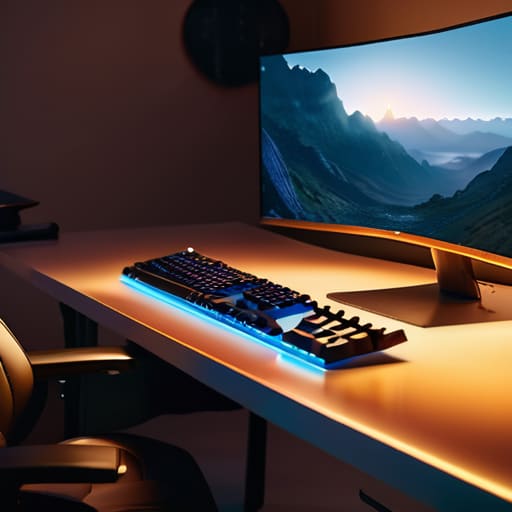
When we talk about getting lost in a digital world, we often focus solely on clarity, but we forget how much the frame itself dictates our perception. This is where the aspect ratio and gaming immersion truly intersect. Moving from a standard 16:9 display to an ultrawide 21:9 setup isn’t just a visual upgrade; it’s a psychological shift. By expanding your peripheral vision, you’re no longer just looking at a window; you’re sitting inside the environment. That extra horizontal real estate allows your brain to process spatial cues more naturally, making the world feel expansive rather than boxed in.
However, this expanded view comes with a technical reality check. A wider field of view means more pixels to push, which directly impacts your hardware’s workload. You have to consider the screen size and pixel density relationship to ensure that your increased field of view doesn’t result in a blurry, washed-out experience. If your density drops too low because you’ve stretched a low resolution across a massive ultrawide panel, that sense of immersion shatters instantly. To truly master the space, you need a balance where the scale of the world matches the sharpness of the detail.
Mastering the Visual Field: 5 Practical Ways to Optimize Your Resolution
- Don’t let your hardware lie to you; always match your output resolution to your monitor’s native pixel count to avoid the blurry, smeared edges that break your focus during high-stakes play.
- Learn to prioritize based on the genre—if you’re playing a fast-paced twitch shooter, scaling back from 4K to 1440p can give your GPU the breathing room it needs to maintain the frame rates that keep your reactions sharp.
- Use DLSS or FSR as strategic tools rather than crutches; these upscaling technologies are brilliant for maintaining visual fidelity without sacrificing the fluid motion necessary for mastery.
- Stop ignoring your text scaling settings; if you jump to a high resolution like 4K on a smaller screen, your UI and menus can become microscopic, leading to unnecessary eye strain and mental fatigue.
- Test your “sweet spot” by playing through a single, complex level at different resolutions; you’ll quickly realize if a higher resolution is actually helping you spot environmental cues or if it’s just a superficial upgrade that slows your performance down.
Mastering Your Visual Setup
Don’t treat resolution as a mere spec sheet checkbox; view it as the lens through which you interpret a game’s complex systems and mechanical cues.
Find your personal sweet spot where visual clarity meets performance, ensuring your hardware supports your skill rather than hindering your reaction time.
Approach your hardware choices with intention, selecting a resolution that serves the specific way you want to experience and master each genre.
The Clarity of Intent
“Resolution isn’t just a spec on a box; it’s the lens through which we interpret a game’s logic. When you find that sweet spot, you aren’t just seeing more pixels—you’re stripping away the visual noise so you can finally see the patterns beneath.”
Delia Okonkwo
Finding Your Visual Sweet Spot
At the end of the day, selecting a resolution isn’t about chasing the highest number on a spec sheet; it’s about finding the equilibrium that supports your specific way of playing. We’ve looked at how the tug-of-war between refresh rates and pixel density dictates your reaction time, and how aspect ratios can fundamentally shift your sense of presence within a digital world. Whether you prioritize the razor-sharp clarity of 4K for immersive single-player journeys or the high-speed fluidity of 1080p for competitive play, the goal is to eliminate the technical friction that stands between you and the game. Don’t let your hardware become a barrier; make sure it is a seamless extension of your intent.
As I sit here with my lukewarm tea, watching the light catch the screen of a console I just finished restoring, I’m reminded that the gear is merely a gateway. The resolution might change how you see the world, but it’s your focus and your mastery that define the experience. Don’t get so caught up in the pursuit of “perfect” settings that you forget to actually play the game. Use your setup to sharpen your vision, master the mechanics, and find the deep, intentional joy that comes from truly owning every level. The resolution is just the canvas; you are the artist.
Frequently Asked Questions
If I upgrade my resolution to 4K, will my current graphics card actually be able to keep up without killing my frame rate?
That’s the million-dollar question, isn’t it? Here’s the reality: moving to 4K isn’t just a visual upgrade; it’s a massive computational tax. Your GPU has to calculate four times as many pixels as 1080p. If your card isn’t built for that heavy lifting, you’ll see your frame rate tank, turning a smooth experience into a stuttering mess. Before you commit, check your benchmarks. Don’t sacrifice the fluid mechanics you’ve worked so hard to master just for more pixels.
Is there a point of diminishing returns where the visual clarity of a higher resolution stops actually helping my performance?
Absolutely. There is a ceiling where more pixels stop translating into better play. Once you hit 1440p or 4K, the marginal gain in clarity is often eclipsed by the sheer cognitive load of processing it, or worse, the frame rate drops that follow. If your resolution forces your hardware to struggle, you’re trading fluid motion for pretty pictures. In my experience, stability and high refresh rates provide far more “skill” than chasing an extra layer of sharpness.
How much does the physical size of the monitor affect whether a specific resolution actually looks sharp or just blurry?
It’s a matter of pixel density, or what I call the “clarity threshold.” If you stretch a 1080p resolution across a massive 32-inch screen, those pixels become physically larger and more apparent, resulting in a soft, muddy image. To maintain that crisp, intentional focus I strive for, you need to match the size to the resolution. For me, a 27-inch 1440p setup is the sweet spot; it’s large enough to immerse, but dense enough to stay sharp.
