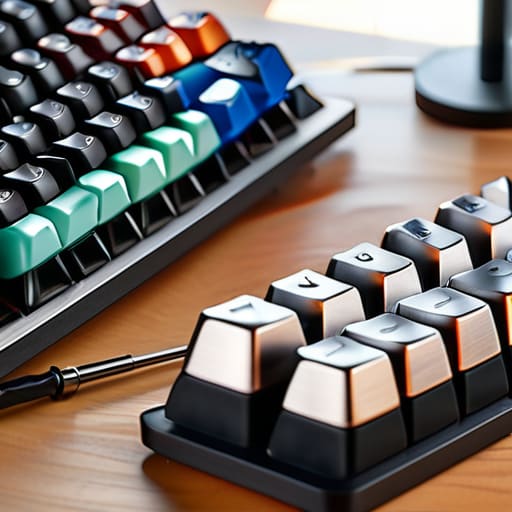
I remember sitting in front of a clunky, membrane-based workstation during my first freelance contract, feeling the mushy, unresponsive keys fight against every sentence I tried to type. It was a physical barrier to my flow, a distraction that made my brain work twice as hard just to output simple technical documentation. Most people will tell you that custom keyboard builds are just an expensive hobby for enthusiasts with too much time on their hands, but they’re missing the point entirely. It isn’t about aesthetics or having the “coolest” setup on your desk; it’s about engineering a precise interface that eliminates the friction between your thoughts and the screen.
In this guide, I’m stripping away the gatekeeping and the unnecessary hype to show you how to build something that actually serves your workflow. We aren’t going to chase every shiny new trend; instead, I’ll walk you through the fundamental mechanics of selecting switches, stabilizing your board, and assembling a tool that feels like an extension of your own hands. You’ll learn how to approach custom keyboard builds with intention, ensuring that every keystroke is a deliberate, satisfying action rather than a mindless struggle.
Table of Contents
- Step-by-Step Instructions
- Engineering Precision a Mechanical Keyboard Assembly Tutorial
- Sculpting Sound Mastering Custom Keyboard Sound Profiles
- Beyond the Assembly: Refining Your Interface for Intentional Play
- Beyond the Build: Why Your Input System Matters
- The Psychology of the Click
- The Final Input
- Frequently Asked Questions
Guide Overview
Tools & Supplies
- Precision screwdriver set for case assembly
- Keycap puller for removing caps
- Switch puller for removing switches
- Tweezers for fine electrical work
- Mechanical keyboard PCB (1 unit)
- Keyboard case (1 unit)
- Mechanical switches (65-110 units)
- Stabilizers (set for specific layout)
- Keycap set (1 set)
- Plate (1 unit)
- USB-C cable (1 unit)
Step-by-Step Instructions
- 1. Before you even touch a screwdriver, you need to define your intent. Are you building this for the rhythmic satisfaction of a heavy mechanical switch, or do you need the lightning-fast, low-profile response required for high-stakes gaming? I always start by mapping out my “input profile”—deciding on the layout (60%, TKL, or full-sized) and the specific tactile feedback I want my brain to register with every press.
- 2. Once your vision is clear, it’s time to source your components. You’ll need the PCB (the brain), the plate (the structure), the switches (the soul), and the keycaps (the interface). Don’t just buy the most expensive parts; look for compatibility first. There is nothing more frustrating than a beautiful set of switches that physically won’t fit the mounting style of your chosen PCB.
- 3. Now, let’s talk about the foundation: the case and the stabilizers. If you want to avoid that hollow, “cheap” sound that ruins the immersion, I recommend looking into modding your stabilizers with some high-quality grease. A well-lubricated stabilizer is the difference between a professional-grade tool and a noisy piece of plastic that breaks your concentration.
- 4. If you are working with a hot-swap PCB, this part is a breeze, but if you’re going the traditional route, you’ll need to prepare your soldering iron. Carefully seat each switch into the PCB, ensuring the metal pins are straight before you commit. I’ve learned the hard way that a bent pin can lead to a dead key, and in a complex system, one small failure can compromise the entire experience.
- 5. Once the switches are seated and soldered, it’s time to install the keycaps. This is where the aesthetic meets the ergonomic. I suggest choosing a profile—like Cherry or OEM—that feels natural to your hand position. You want a surface that provides just enough texture to feel secure, but not so much that it becomes a distraction during intense sessions.
- 6. The final, and perhaps most crucial, step is the software calibration. Most custom boards allow you to remap keys or create complex macros. Don’t just leave it at the factory defaults; take the time to engineer your layout so that your most critical inputs are exactly where your muscle memory expects them to be. This is how you turn a mere peripheral into a seamless extension of your own intent.
Engineering Precision a Mechanical Keyboard Assembly Tutorial

When you move past the basic assembly, you start to realize that building a board is less about following a manual and more about fine-tuning a sensory experience. If you want to truly elevate your build, you shouldn’t skip the tedious work of a lubing keyboard switches guide. Applying a thin layer of Krytox to your stems might feel like overkill when you’re halfway through a long session, but it is the difference between a scratchy, hollow click and a buttery, consistent stroke. It’s that tactile feedback that turns a tool into an extension of your intent.
Beyond the switches, pay close attention to how the plate interacts with the housing. Understanding different keyboard mounting styles explained—whether you’re opting for the flex of a gasket mount or the rigidity of a tray mount—will fundamentally alter your typing rhythm. A stiffer mount offers more predictable precision for high-APM gaming, while a softer mount provides a more forgiving, cushioned feel for long writing sessions. It’s these minute structural choices that define your final custom keyboard sound profiles, turning a simple peripheral into a masterpiece of engineering.
Sculpting Sound Mastering Custom Keyboard Sound Profiles

Once you’ve finished the physical assembly, you enter the most subjective—and arguably most rewarding—phase of the process. To most, a keyboard is just a tool, but to those of us who spend hours in deep focus, the acoustic feedback is everything. It’s the difference between a hollow, clacking mess and a rhythmic, satisfying cadence that keeps you in the flow state. To truly master your custom keyboard sound profiles, you have to look beyond the switches themselves and consider how the entire chassis resonates.
If your board sounds thin or “pingy,” don’t panic; it’s usually a matter of dampening. I often find that adding a layer of Poron foam or even a simple silicone sheet inside the case can transform a cheap-sounding build into something remarkably premium. If you’re feeling more meticulous, I highly recommend following a lubing keyboard switches guide to address the friction at the source. A little bit of Krytox on the stems can eliminate that scratchy sensation, turning a jarring noise into a smooth, buttery glide that makes every keystroke feel intentional.
Beyond the Assembly: Refining Your Interface for Intentional Play
- Prioritize tactile consistency over aesthetic trends; if your switches have inconsistent actuation points, your muscle memory will never truly settle.
- Don’t neglect the stabilizers; a rattling spacebar is more than an annoyance—it’s a sensory distraction that breaks your focus during high-stakes inputs.
- Test your layout with your most-played titles before finalizing the build, because a layout that feels great for typing might hinder your rapid-fire key presses in a game.
- Invest in high-quality lube, but use it with restraint; over-lubricating can lead to a mushy feel that kills the very precision you’re trying to engineer.
- Treat your build as a living system, not a finished product; keep a log of how different spring weights or plate materials affect your reaction time and adjust accordingly.
Beyond the Build: Why Your Input System Matters
Stop treating your peripherals as afterthoughts; a custom keyboard is a precision tool that bridges the gap between your intent and the game’s response.
Don’t chase aesthetics alone—focus on the synergy between tactile feedback and acoustic profiles to reduce cognitive load during intense play.
Mastery is a process of iteration, so treat your first build as a baseline for experimentation rather than a finished, static object.
The Psychology of the Click
“A custom keyboard isn’t just about aesthetics or avoiding a mushy membrane; it’s about closing the loop between your intent and the machine. When you engineer your own tactile feedback, you aren’t just typing—you’re mastering the interface.”
Delia Okonkwo
The Final Input
Building a custom keyboard is far more than a simple hardware upgrade; it is a deliberate exercise in fine-tuning your primary interface with the digital world. We have moved from the raw assembly of switches and stabilizers to the nuanced art of acoustic tuning, ensuring that every keystroke serves a purpose. By focusing on the technical precision of the build and the specific sensory feedback of the sound profile, you have transformed a mass-produced tool into a highly specialized instrument. You aren’t just clicking buttons anymore; you are interacting with a system that you have personally engineered for excellence.
As I sit here with my lukewarm Earl Grey, watching the light catch the custom keycaps of my latest project, I am reminded why we bother with these complexities in the first place. In a world of disposable tech and mindless consumption, taking the time to build something with intention is a radical act. Your keyboard is the bridge between your intent and the game’s response, and when that bridge is built with care, the experience becomes seamless. Don’t just play the game; master your tools and let the precision of your setup elevate every single moment of your journey.
Frequently Asked Questions
How do I know if a specific switch type will actually improve my reaction time or just lead to finger fatigue during long sessions?
It’s a delicate balance between tactile feedback and physical strain. If you’re chasing millisecond improvements, linear switches offer the smoothest path, but they lack the sensory confirmation that prevents accidental presses. However, if you overcompensate with heavy, clicky switches, you’re essentially training your hands for a marathon of resistance, which leads to inevitable fatigue. My advice? Prioritize a moderate actuation force. You want enough resistance to feel intentional, but not so much that your muscles are fighting the hardware.
Is it worth investing in high-end stabilizers, or am I just chasing a placebo effect in the typing experience?
It’s easy to feel like you’re chasing ghosts when you start tweaking tiny components, but stabilizers aren’t a placebo—they are the foundation of stability. If your spacebar rattles like a loose arcade cabinet, no amount of premium switches will fix that tactile dissonance. Investing in high-end stabilizers isn’t about vanity; it’s about eliminating the mechanical noise that breaks your flow. When the stabilizers are dialed in, the system finally feels cohesive.
How can I balance the desire for a specific acoustic profile with the practical need for a keyboard that doesn't disrupt my workspace?
It’s a classic tension between sensory satisfaction and environmental awareness. I tackle this by focusing on dampening rather than silence. You don’t have to sacrifice that tactile click; instead, look into high-quality silicone dampeners or specialized foam inserts for your case. This absorbs the harsh, high-frequency “clack” that irritates coworkers, while preserving the deeper, more rhythmic acoustic profile you actually enjoy. Aim for a “thock” rather than a “clack”—it’s much more discreet.
